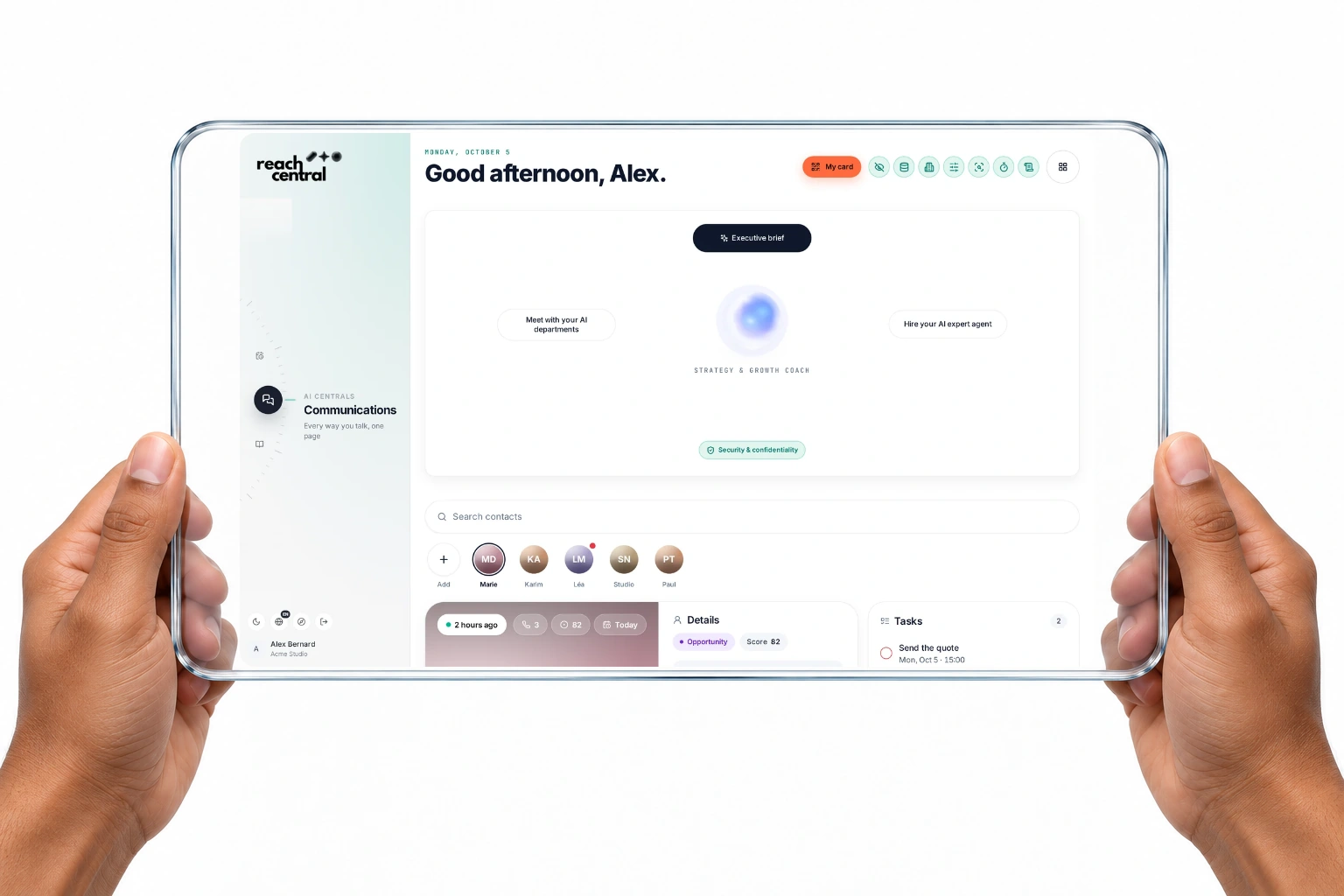
Everything your business doescomes back to the client card.
Calls, texts, emails, meetings, documents and tasks file themselves onto one living card per client. The AI reads all of it and proposes your next move. You confirm, and your whole team works from the same story.
With Reach Central AI, every call, text, email, meeting, document and task lands on one client card automatically. Calls are answered and analysed, emails and meeting transcripts are read, follow-ups are created, and an AI sales desk proposes the next step for each client, which you confirm in one tap.
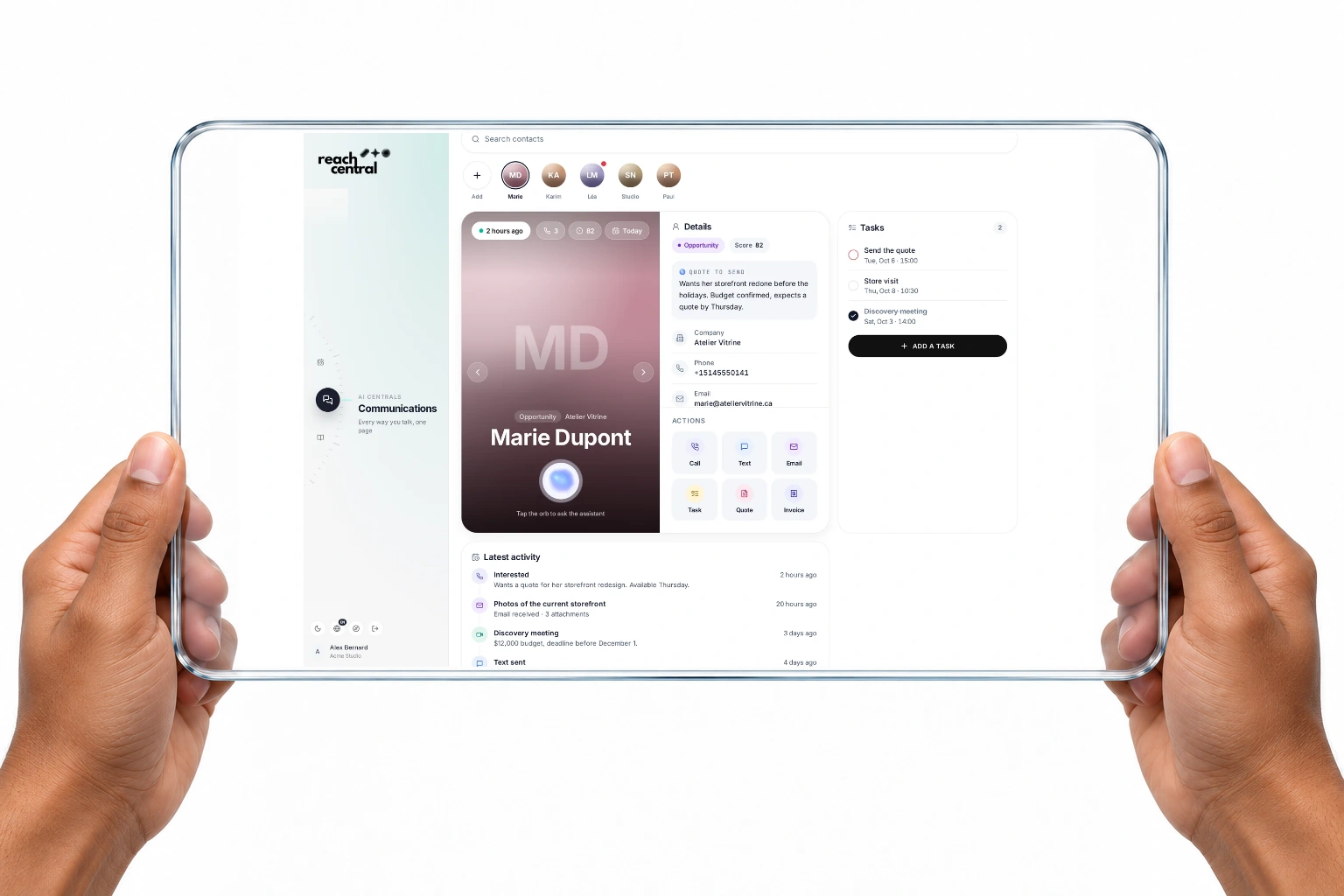
The client card
One card. The whole relationship.
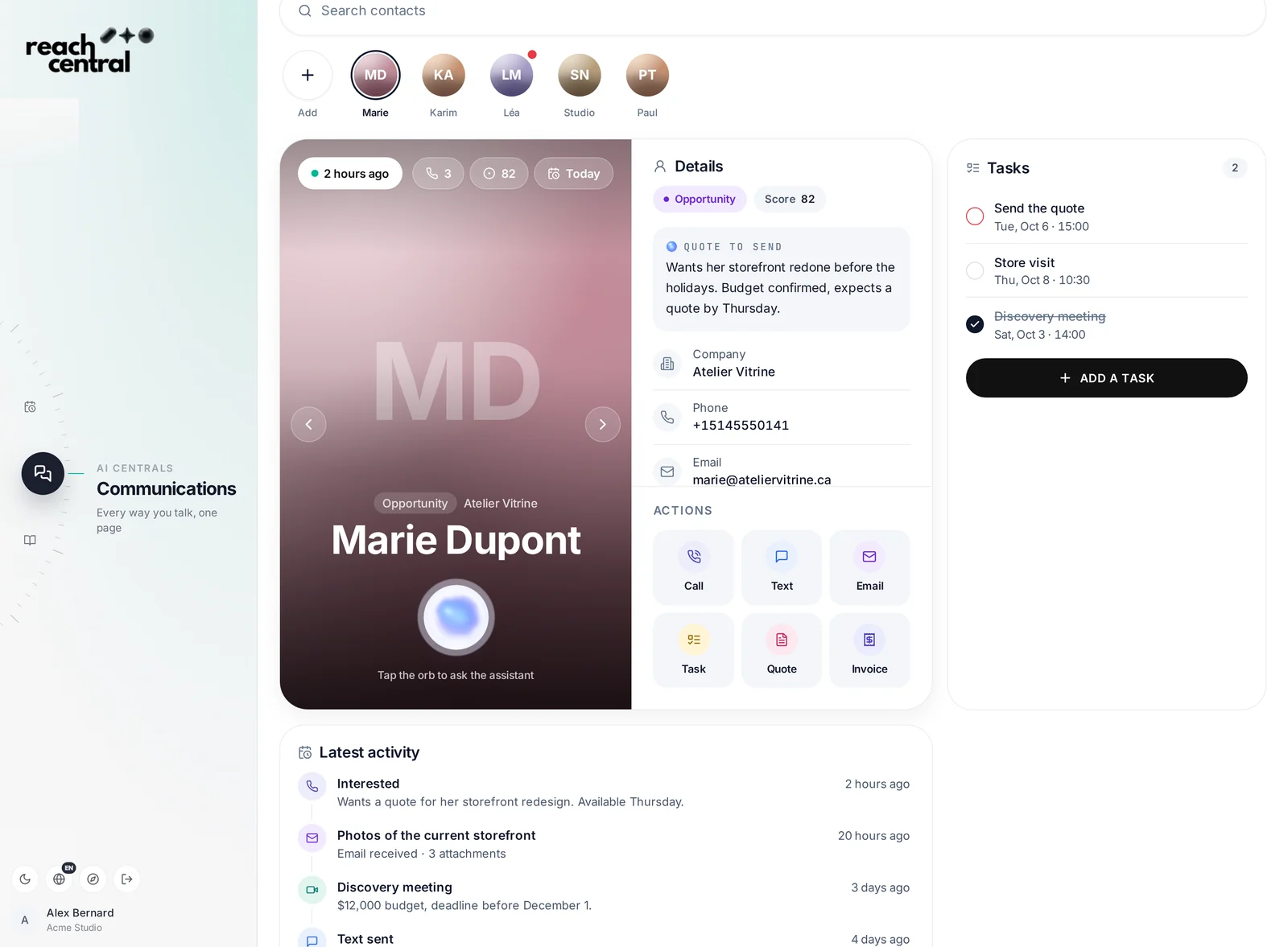
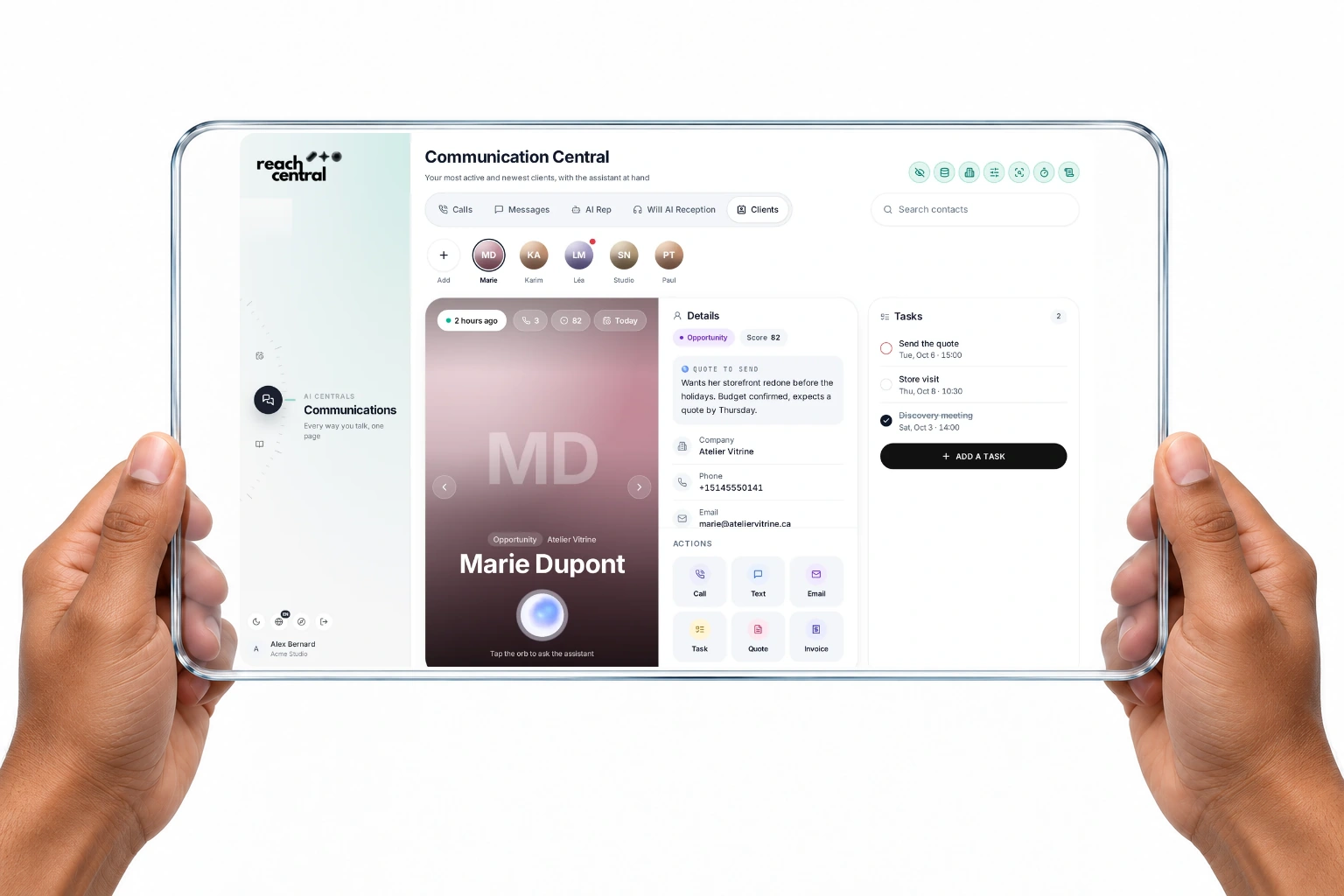
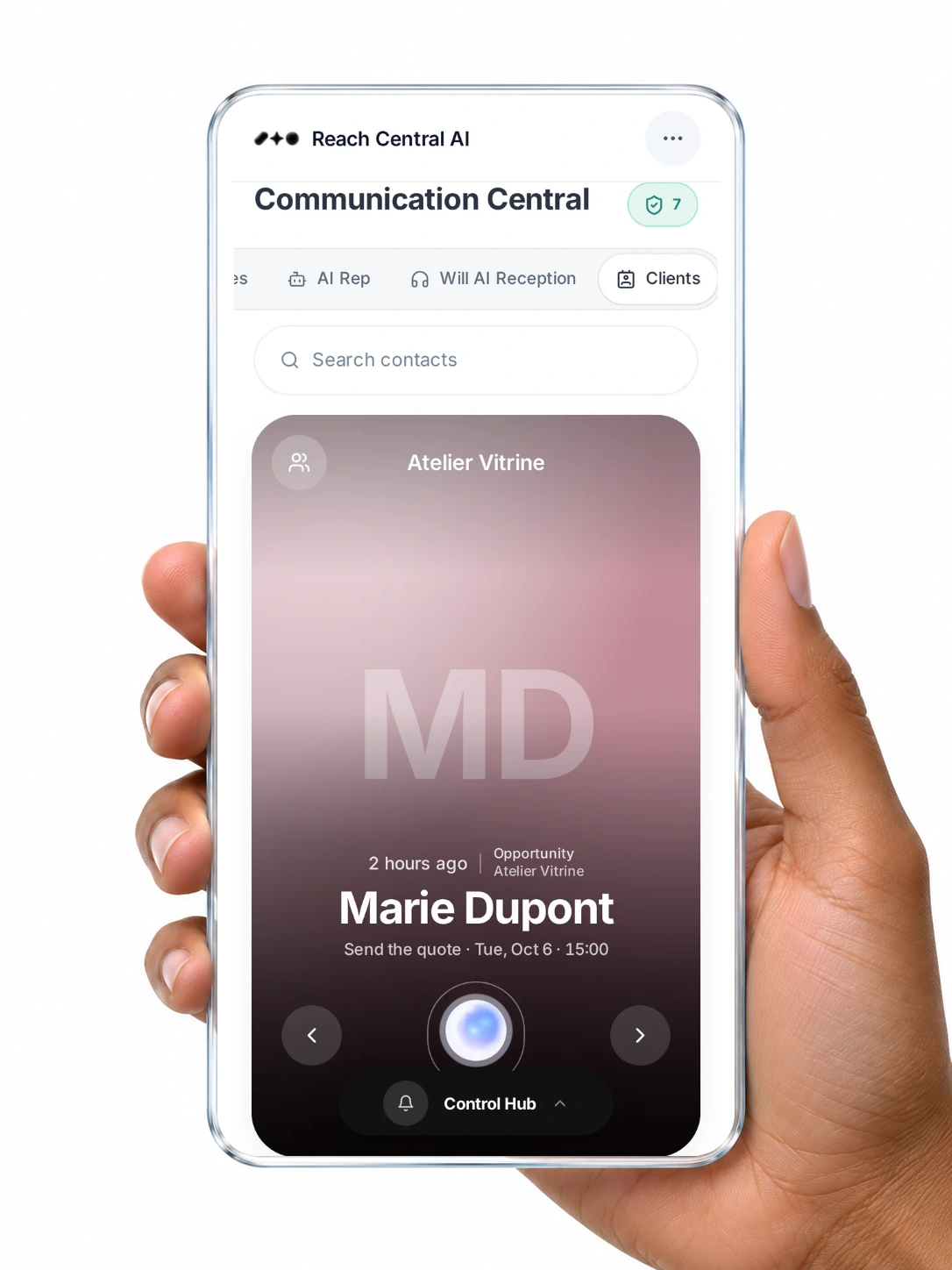
Open a client and see everything at once: where they stand, what was said, what is due, and what to do next.
1234567
Real screen from the Reach Central AI demo workspace.
How it connects
Every channel files itself to the right card.
No copying, no pasting, no notes typed after the call. Pick a channel to see what lands on the card.
MDClient cardMarie Dupont+ Phone calls
Automatic
Phone calls
Inbound calls, AI reception and AI rep calls update the card by phone number. Each call is analysed: outcome, objections and summary are filed, the stage and next action are updated, and a follow-up task is created.
Chapter 1
Win clients
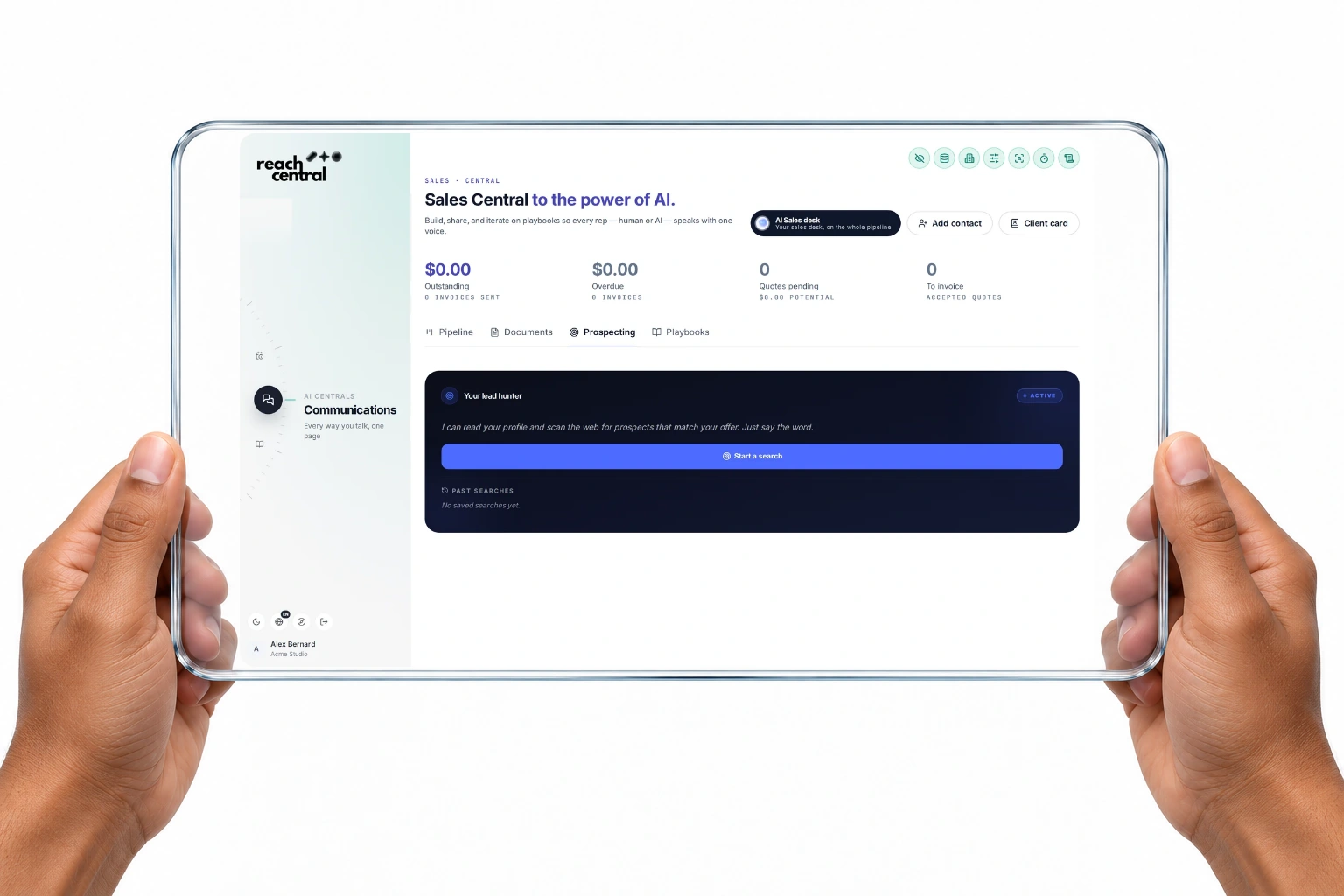
Lead prospecting powered by AI
New prospects, found for you.
Tell the AI where to look and what you prefer. It searches the web with your company profile in mind and returns prospects with why they fit and how to pitch them. You choose who joins your pipeline.
Automatic
Grounded in a live web search
Company, contact, role, website, email, phone and LinkedIn, with the sources used. Missing phone numbers and addresses are filled from Google Places.
Automatic
Why it fits, how to pitch
Each prospect comes with the reason it matches your offer and a pitch angle.
You review
Into the pipeline
Add one or all to your pipeline, or export to Google Sheets. Added leads are tagged as coming from AI.
5 AI prospects a day are included in every plan. Need more? Buy extra leads right in the app.
Business development, sales automations and funnels
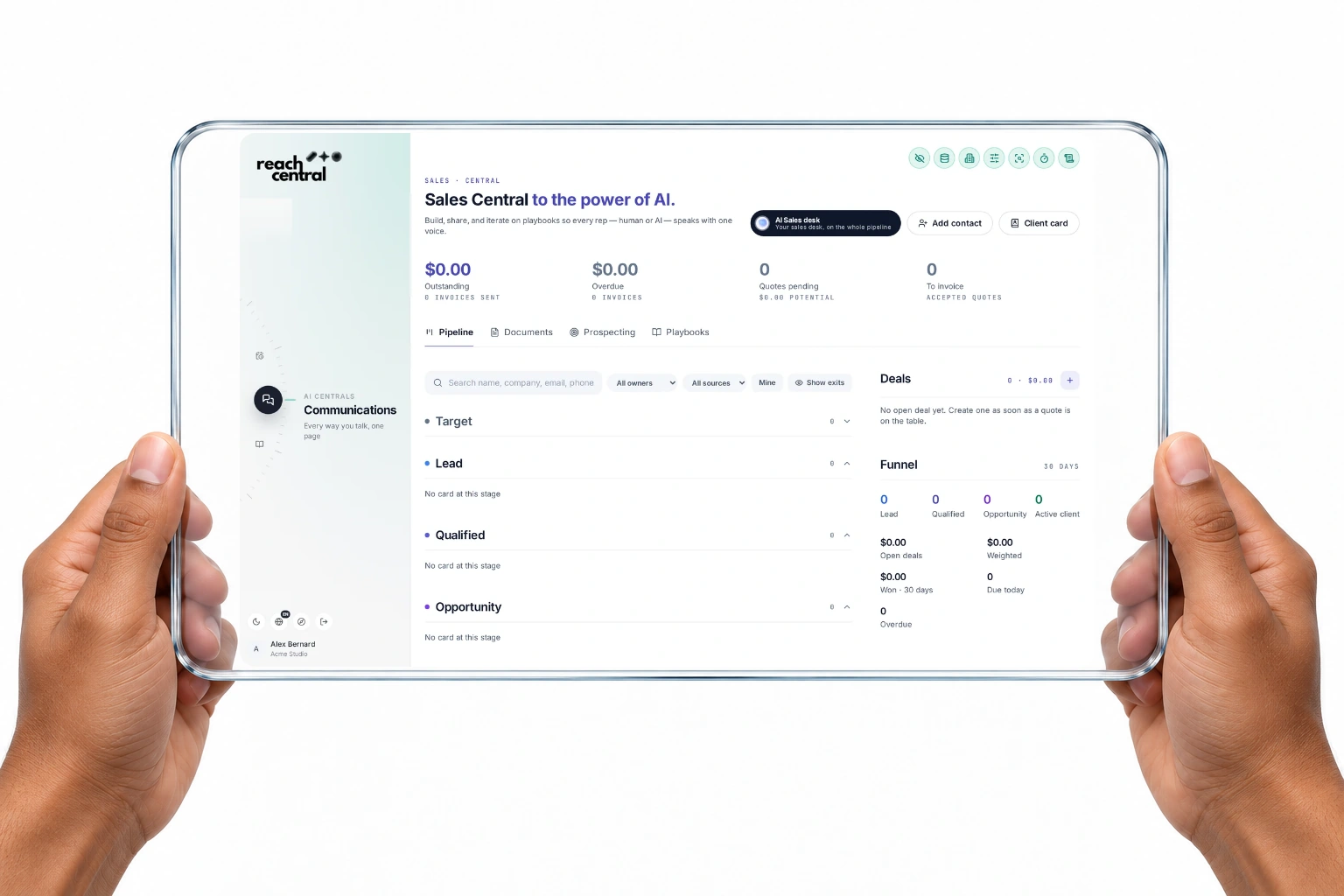
A funnel that moves with every call.
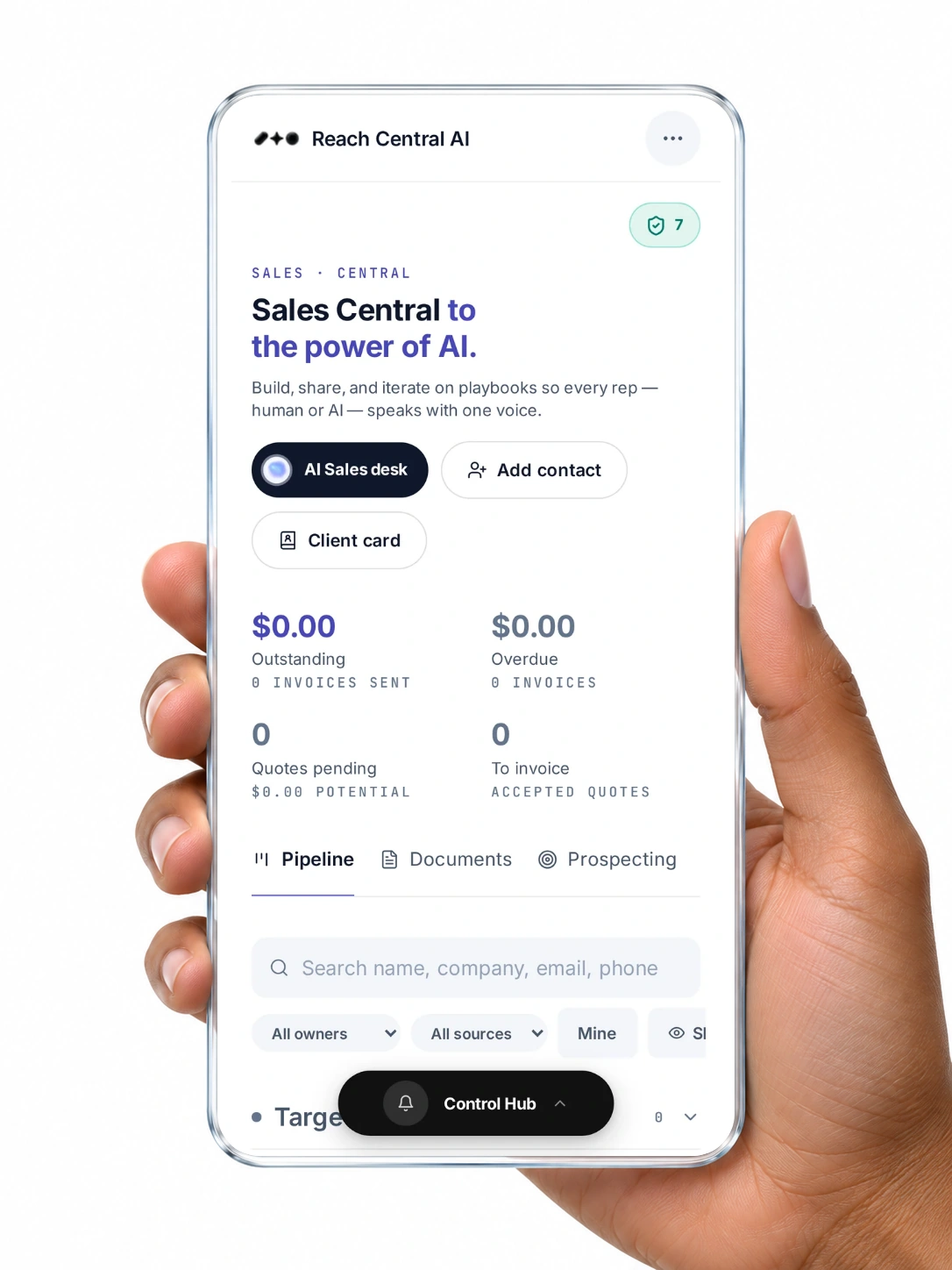
Seven stages from Target to Advocate, a funnel with open, weighted and won deals, and automations that act on call outcomes. The AI sales desk proposes the next move, and the AI rep runs your outbound calls.
Automatic
Automatic stage moves
An interested caller or a booked call moves the card to Lead. Not interested closes it as lost. A wrong number disqualifies it.
You confirm
AI rep batch calls
Pick contacts from HubSpot or add your own, accept the calling terms, and the AI rep calls them all.
You choose
Quotes to invoices
Track quotes from draft to accepted, turn an accepted quote into an invoice, and let the AI draft the cover email.
You confirm
AI sales desk
Up to three proposed actions per client: task, meeting, email draft, quote, invoice or stage change.
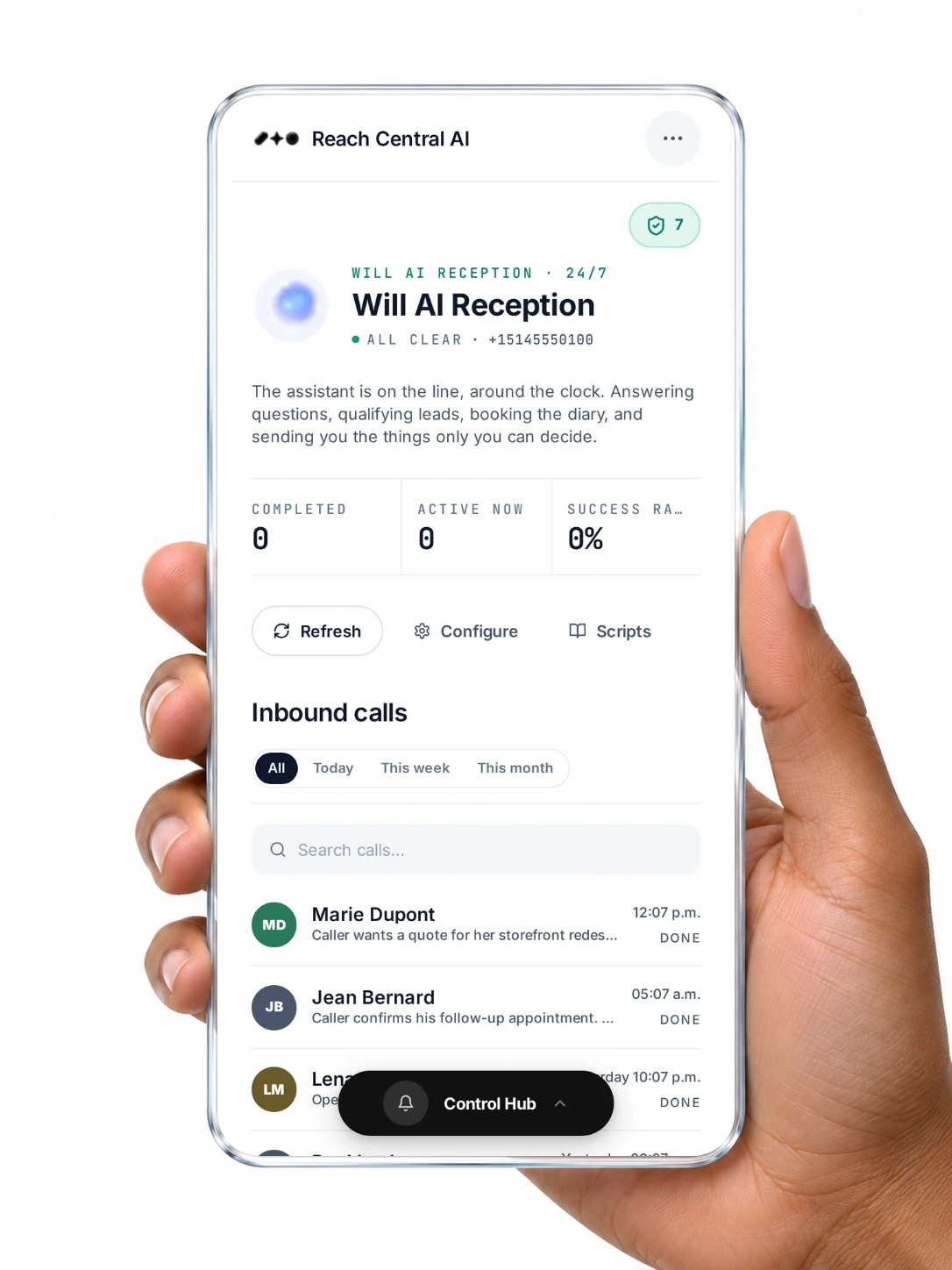
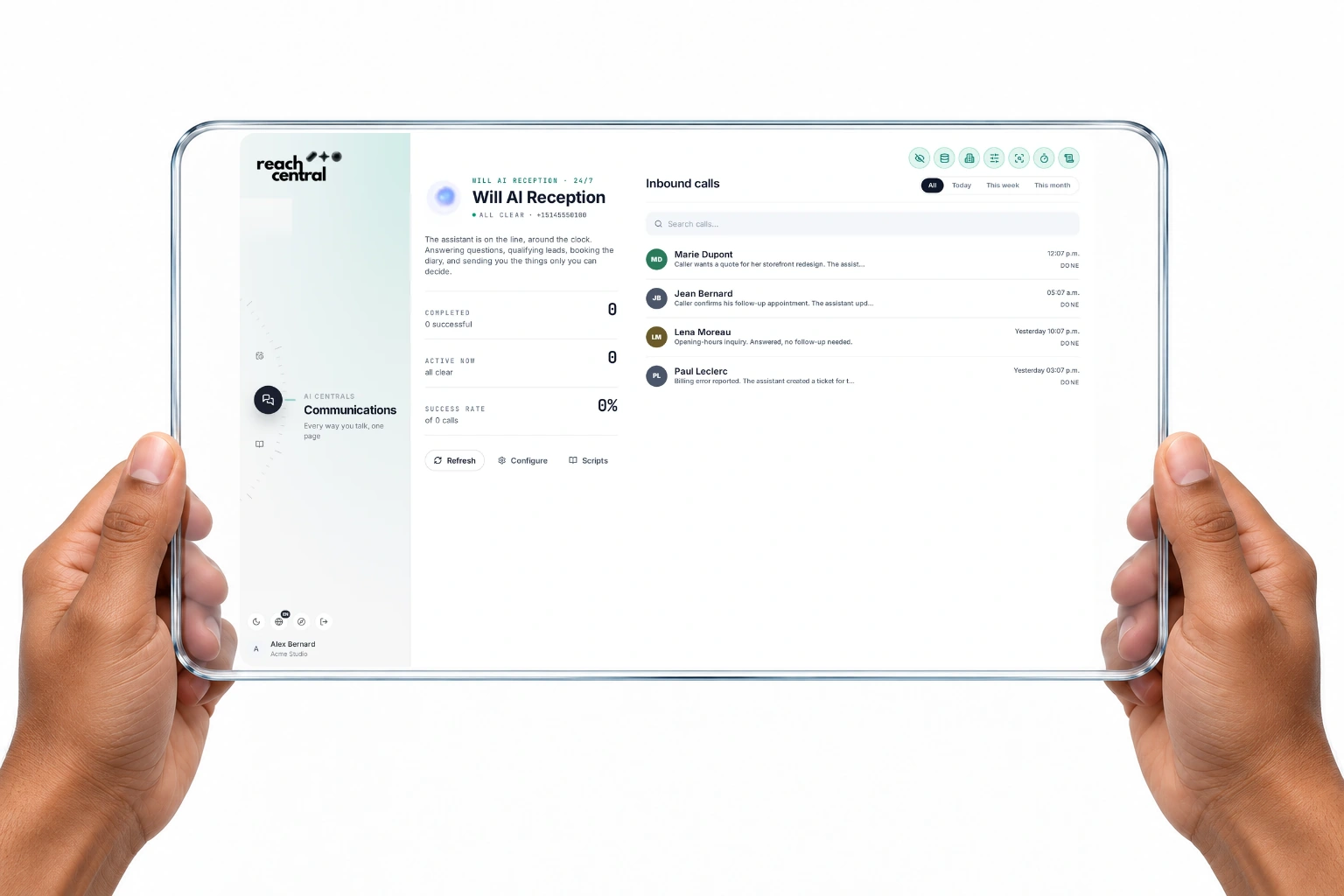
Will AI Reception picks up your business line, answers questions and qualifies the caller. Each call is stored with its recording, transcript and an AI analysis, and the caller's client card is created or updated.
Automatic
A full read of every call
Summary, category, satisfaction, sentiment, caller language, next steps and a coaching tip.
Under your switch
Bookings during the call
With Resova connected, the receptionist checks availability and creates the booking while the caller is on the line.
You choose
Tickets for your team
Assign a call to a teammate or department with a due date.
You review
Your instructions
Describe your business in plain words, and the AI can write the instructions your line follows.
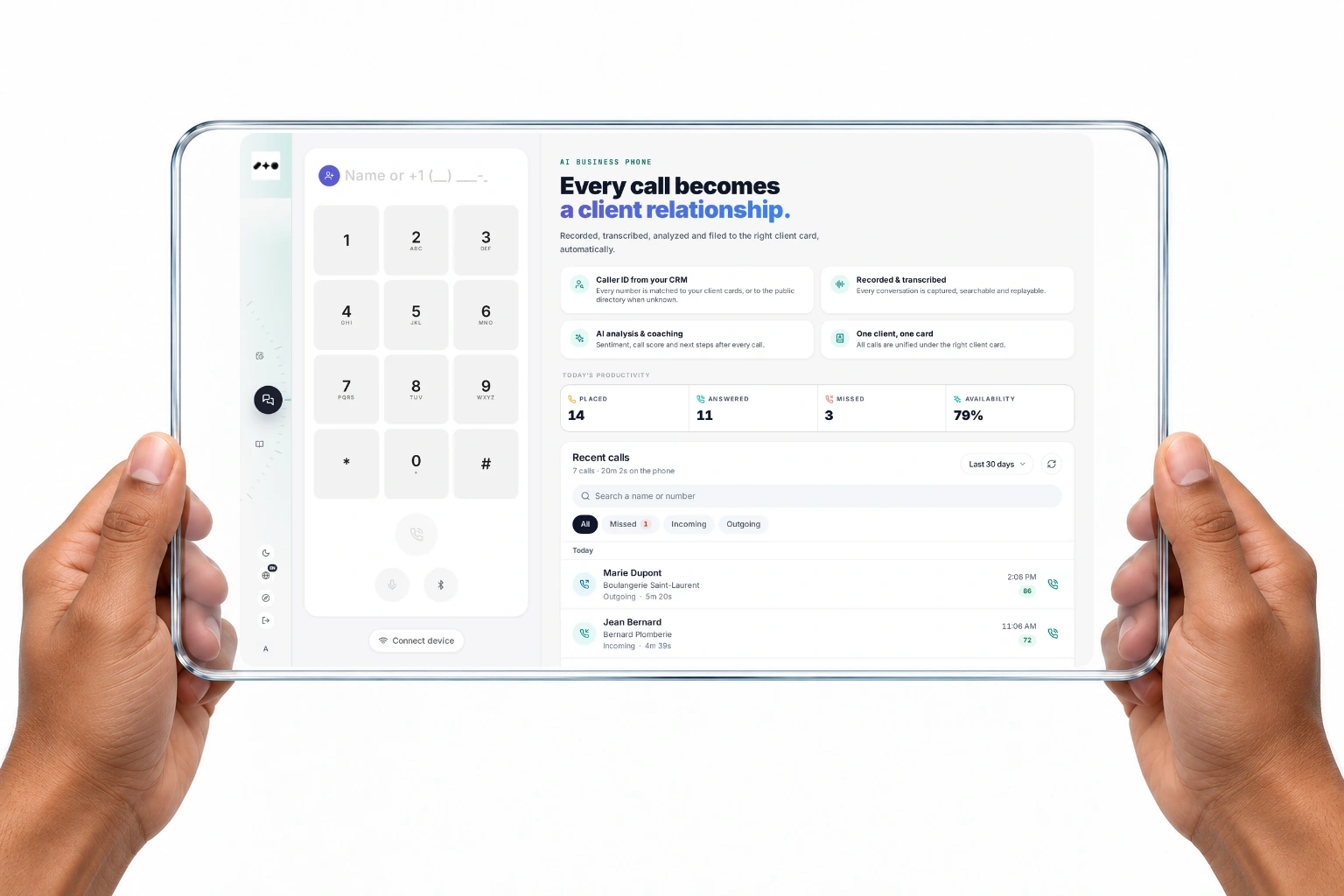
Your business line, one inbox, the AI rep and the AI receptionist sit in one place. Every call is recorded, transcribed and analysed, and every message is filed to the right client card.
You choose
Business line
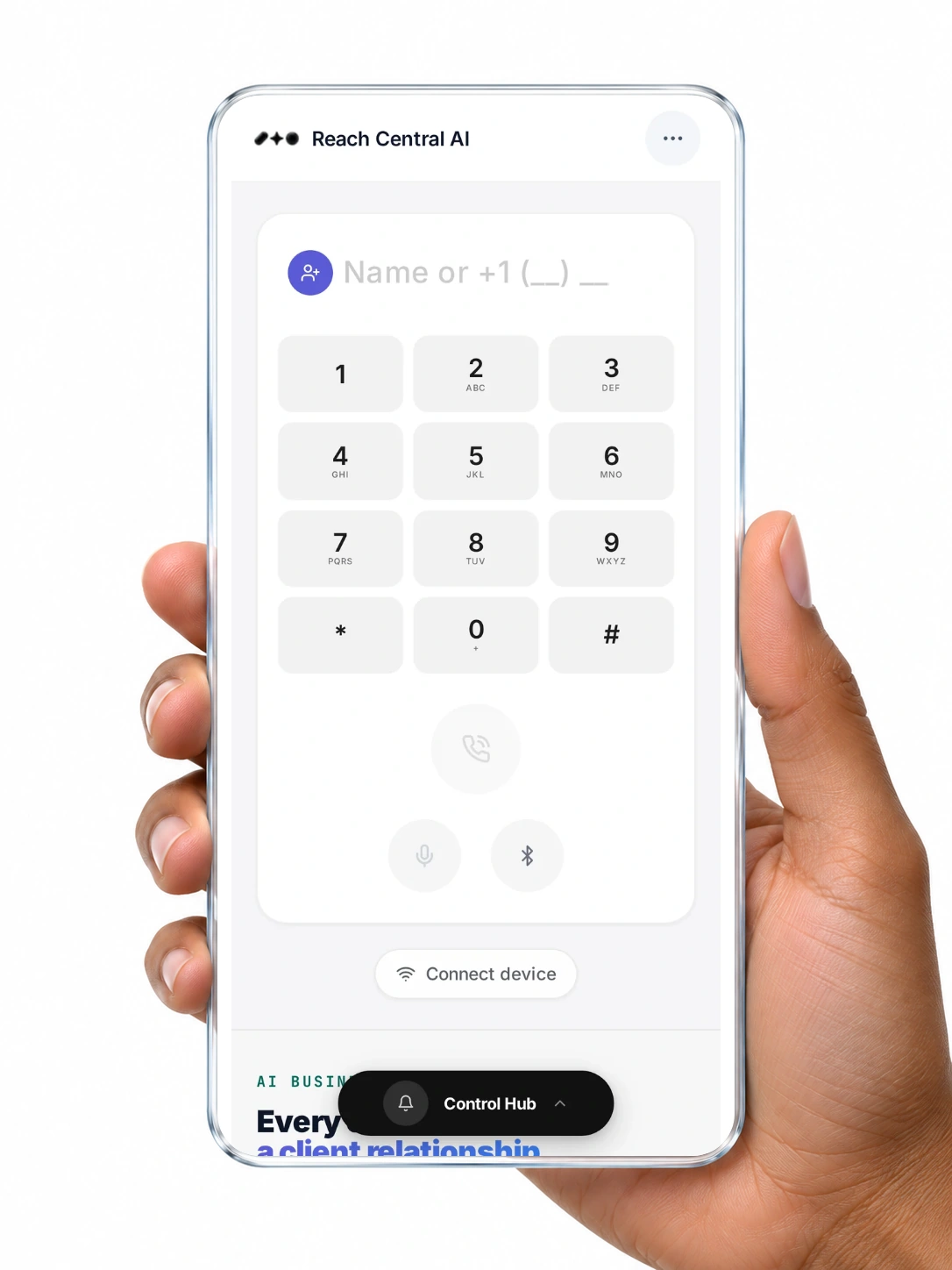
Call and text, with MMS images and saved scripts.
Automatic
One inbox
Calls, texts, Gmail emails and social messages, filtered by channel. Reply to WhatsApp, Facebook and Instagram in place.
Automatic
Analysis after every call
Score, summary, satisfaction, next steps and a coaching tip, filed to the card.
You choose
Notifications that matter
Push alerts for calls, messages, cards, meetings and tasks, each one switchable per device.
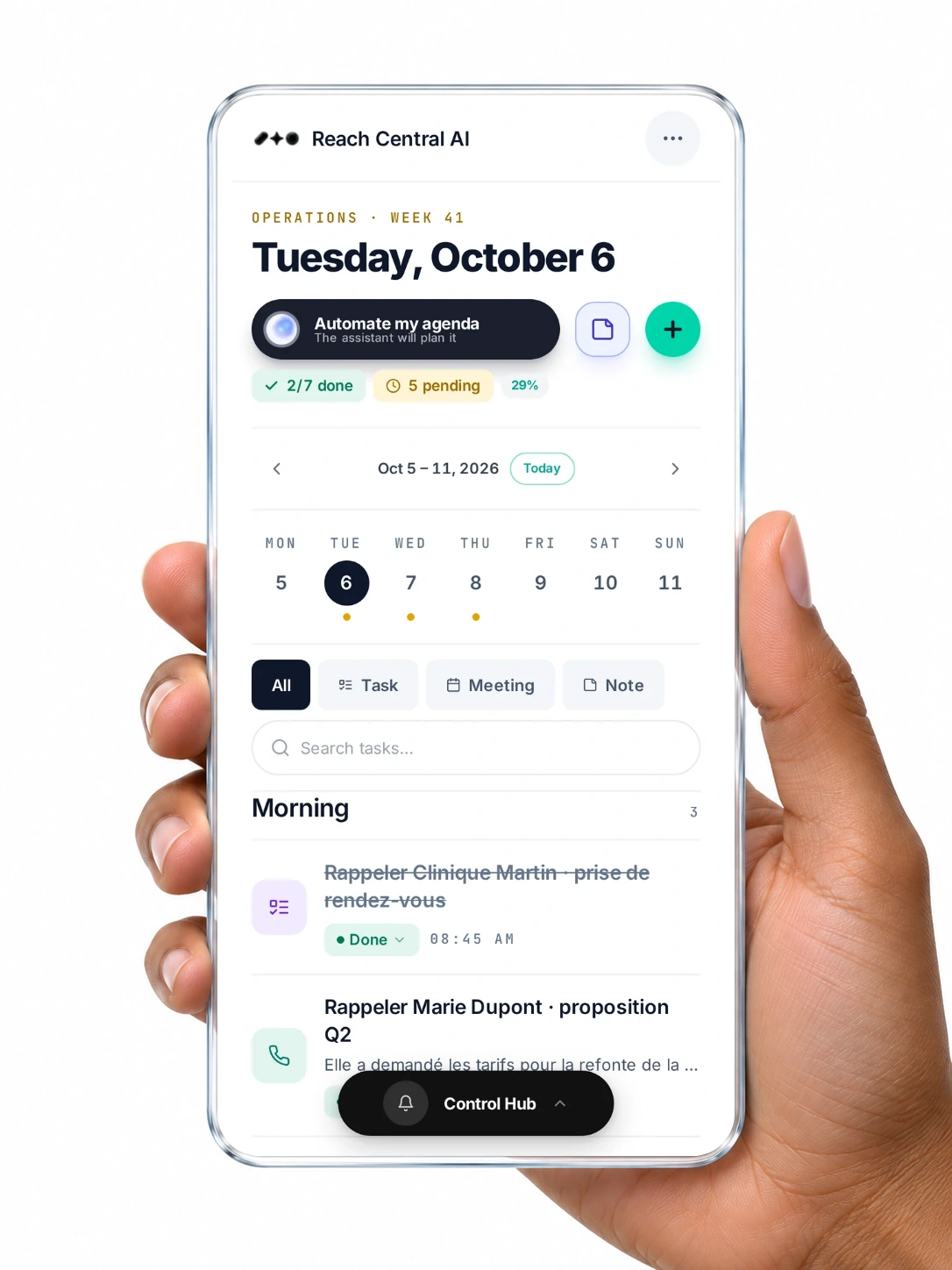
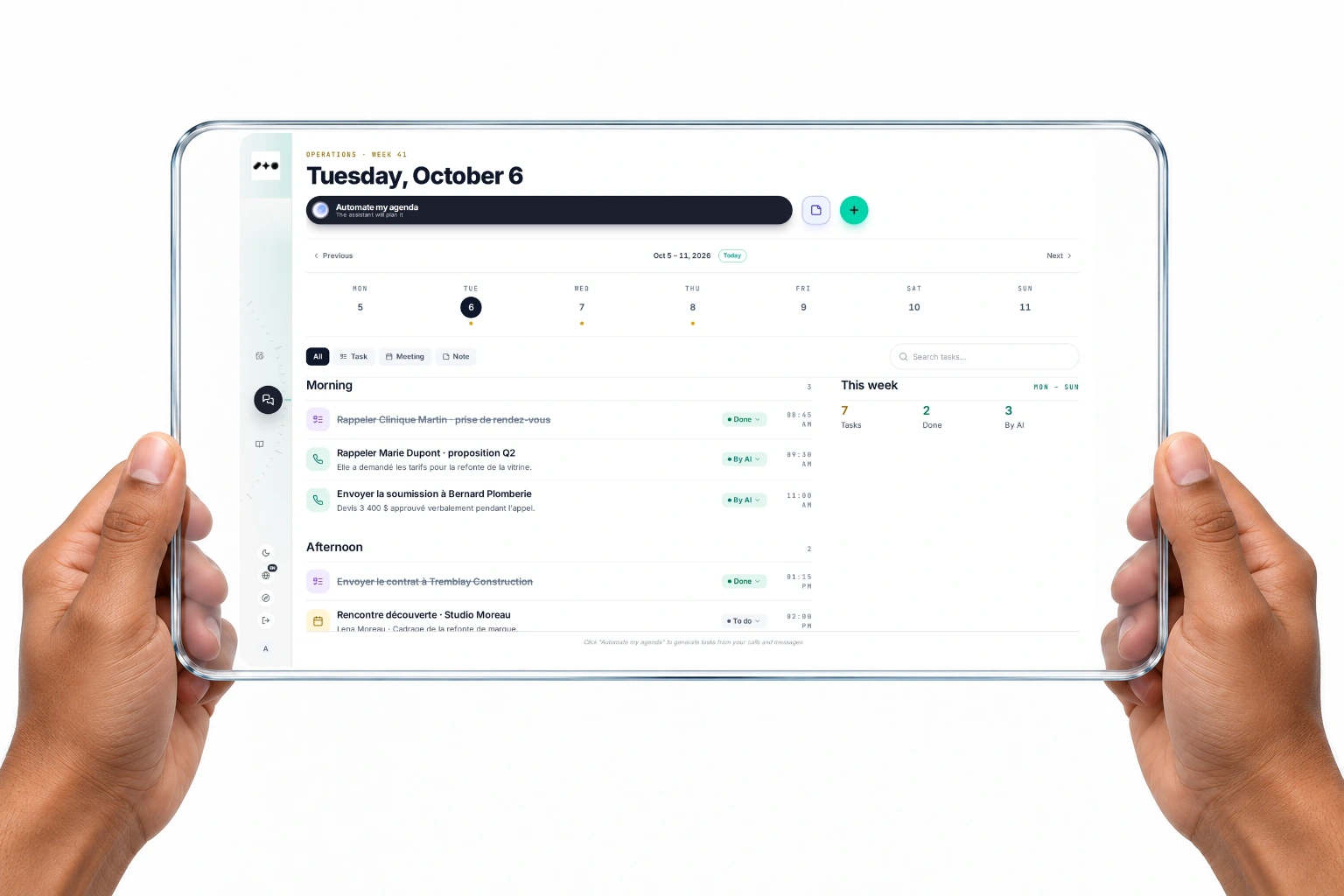
Tap Automate my agenda and the assistant reads your calls, texts, hotline calls, prospect searches and calendar, then lays out the day. Every task links back to its source and to the client card.
You choose
Tasks from your activity
Calls, texts, batch calls, hotline calls and today's calendar events become tasks.
Automatic
Follow-ups from every call
Analysed calls add follow-up tasks on their own.
Automatic
Google Calendar
Meetings mirror to Google Calendar with a Meet link, and you get a reminder 15 minutes before.
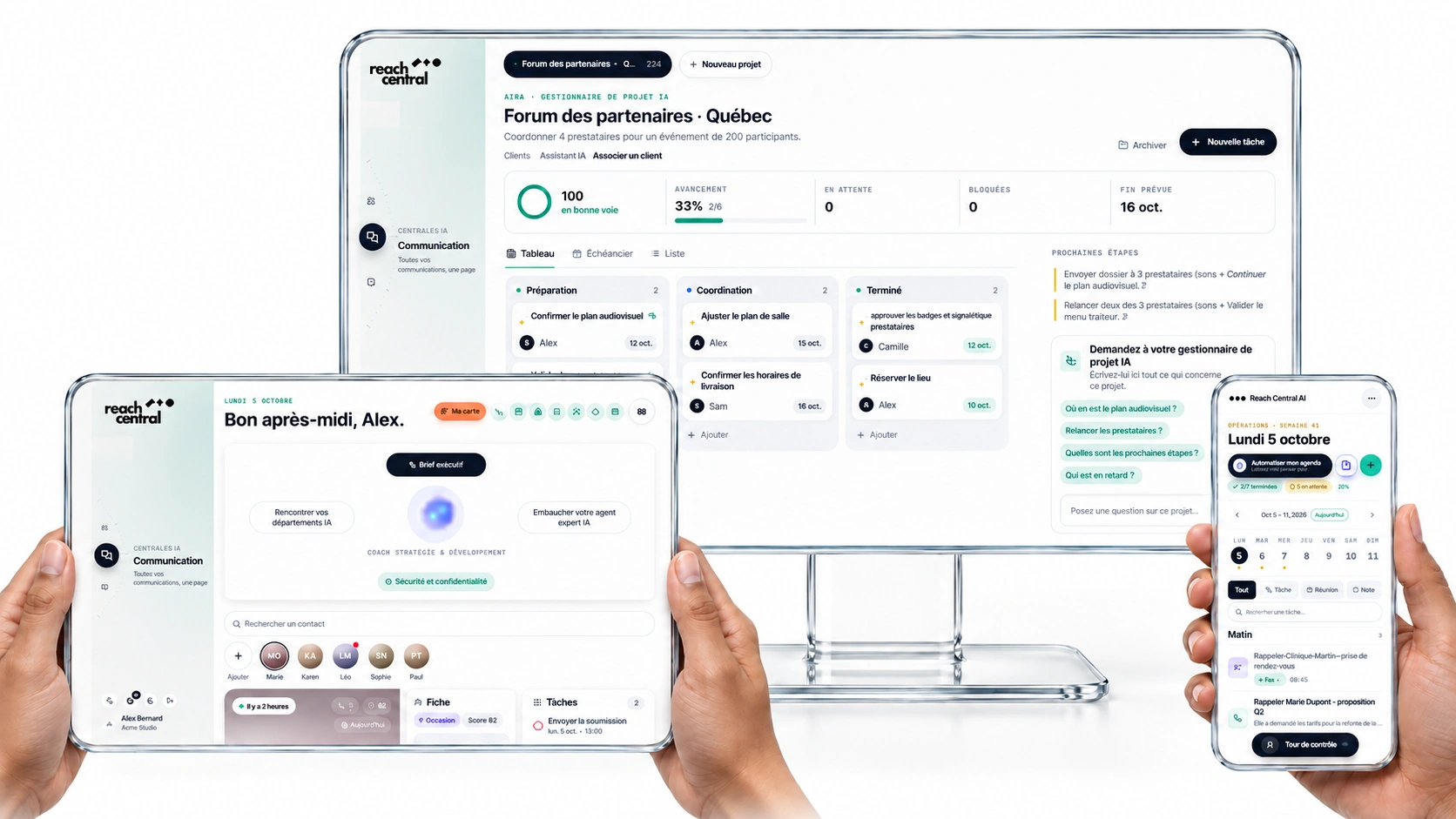
Run client mandates, field jobs, campaigns, launches and events on a board, a timeline or a list. Describe the project and the AI builds the plan: stages, tasks, owners, dates and risks.
You review
Plan from a brief
Build my plan with AI turns a few written lines into stages, tasks, owners, dates and risks.
You confirm
Ask your AI project manager
Get advice on the plan, and add any suggested task to the board with one click.
Automatic
Next moves and risks
The board shows the next moves and the risks to watch as it changes.
Views
Board
Timeline
List
Starting shapes
Simple flow
Client engagement
Field job
Campaign
Launch
Event
Chapter 4
Lead the business
AI departments
Meet the department you need today.
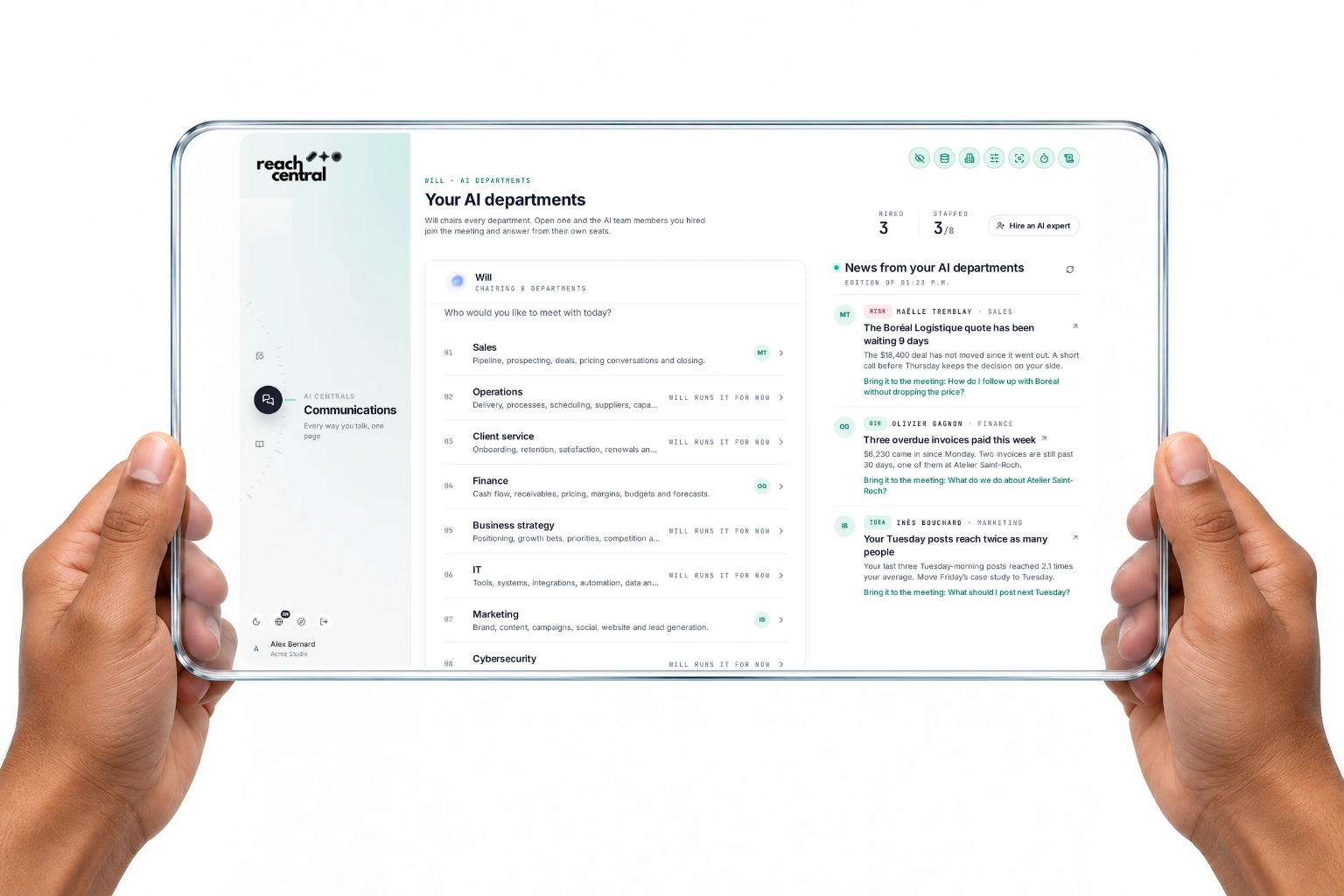
Sales, operations, client service, finance, business strategy, IT, marketing and cybersecurity, plus the departments you add. Hire AI experts into each seat; they answer in meetings and file one update a day. Until a seat is filled, Will runs it.
You choose
Meetings on demand
Open a department and every hired expert answers from their own seat. Will chairs.
Automatic
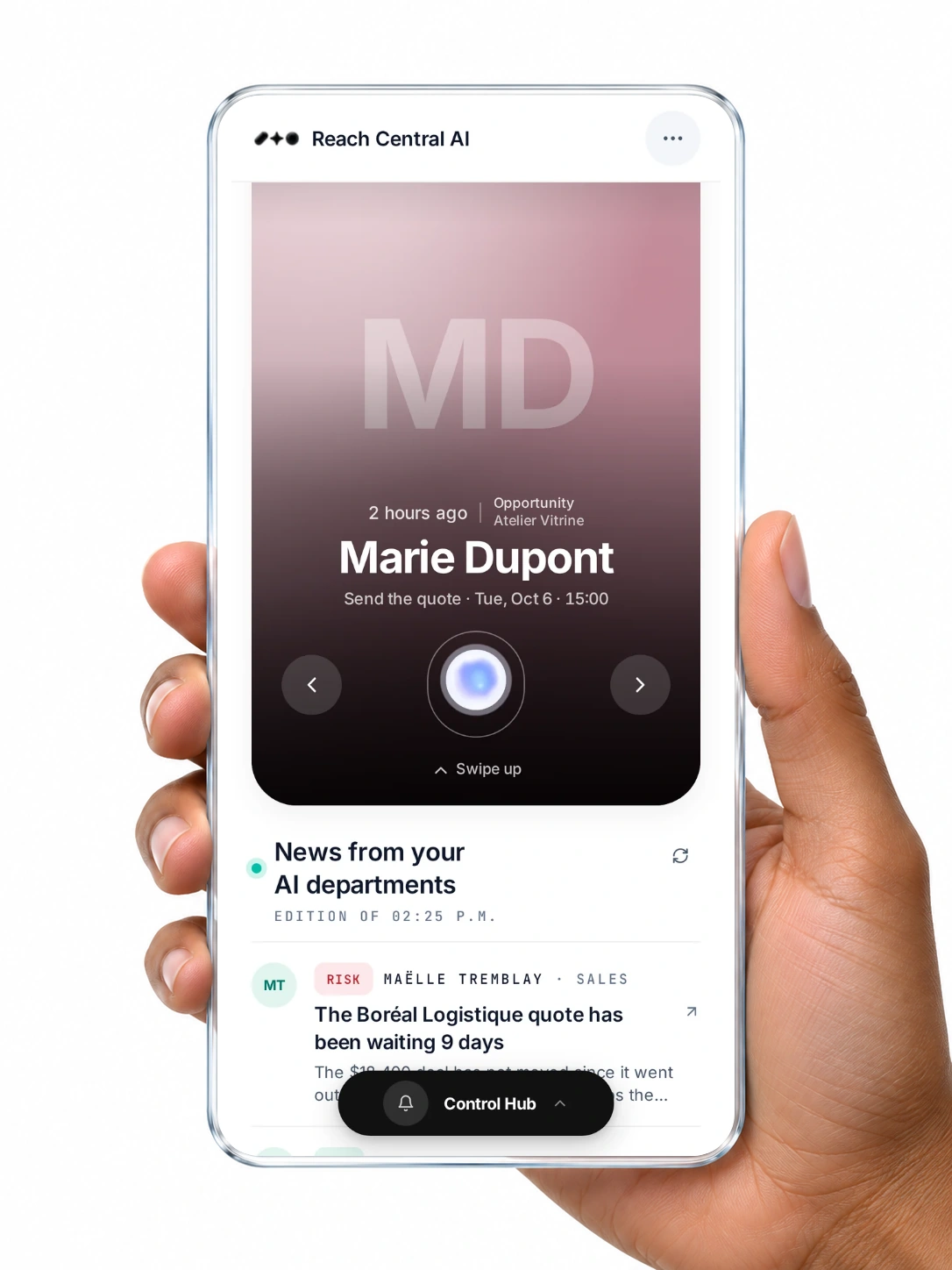
News from your departments
Each hired expert files a win, a risk or an idea every day, with the question to bring to the meeting.
You confirm
Hiring stays with you
Only owners and admins hire or release AI experts. Each hire is an add-on to your plan.
Business strategy
See the whole business, then decide.
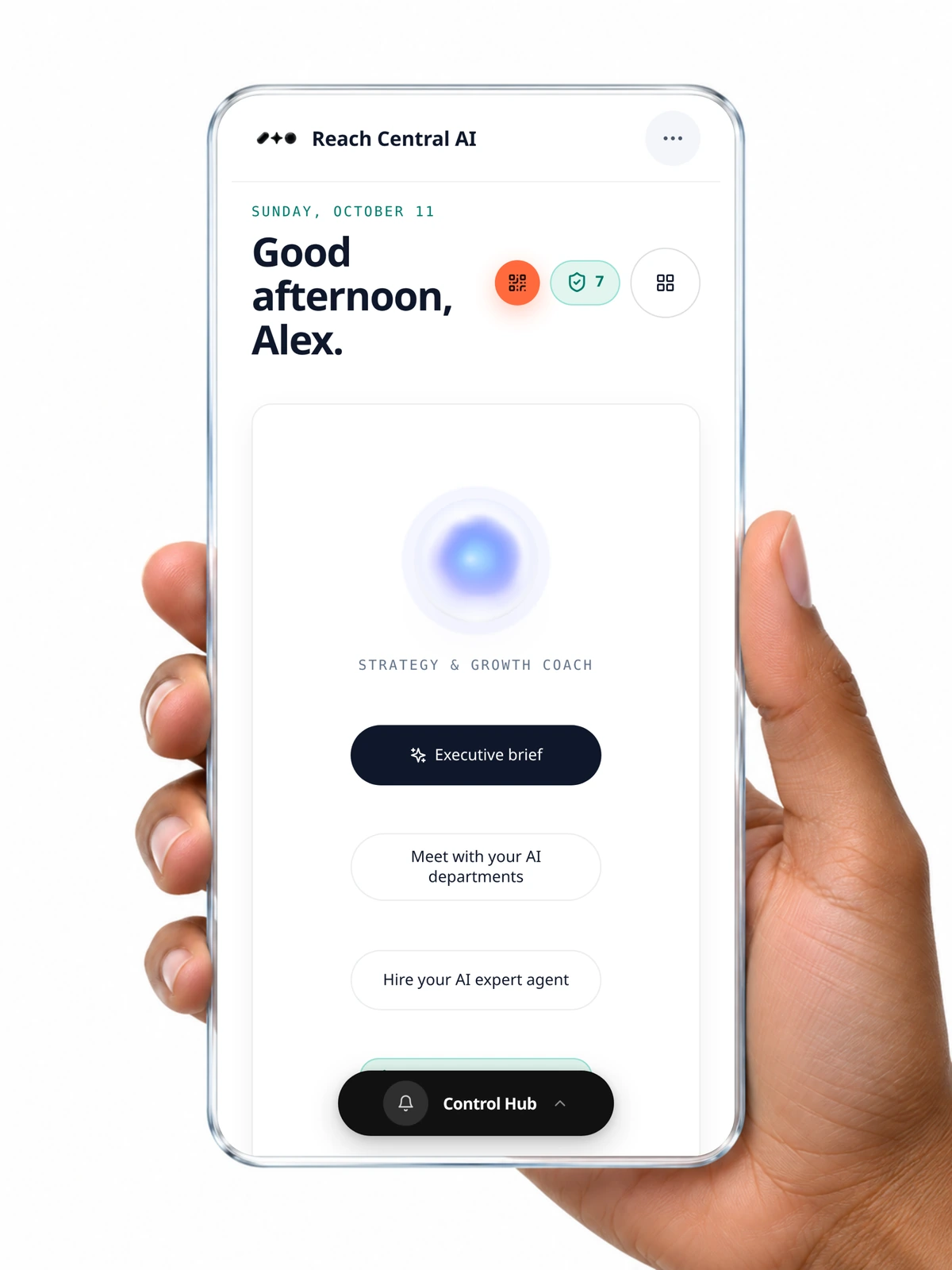
Your Business strategy department covers positioning, growth bets, priorities and competition. Ask Will for an executive brief, plan the week, or keep it to a one-on-one.
You choose
Executive brief
A headline, today's priorities, tips for growth, sales, client service and operations, and this month's figures from your own data.
You choose
Weekly and monthly briefings
Partnerships, ambassadors, impact and the services to put forward. Save them, or send them by email from your own Gmail.
You choose
Just you and Will
A one-on-one for strategy, priorities and briefings.
Chapter 5
Your whole team
Many users in every organization
One organization. Everyone in the right seat.
Invite your team into one shared organization. Owners and admins see everything; each member sees the clients, calls, tasks and plans they own. Every organization is sealed off from every other one.
You choose
Invitations
Owners and admins invite teammates by email; every invitee joins as a member.
Automatic
Own cards, own credit
Contacts a member brings in, through calls or their digital QR card, are owned by that member.
Automatic
Isolated organizations
Row-level security filters every read and write by organization.
Owner
Sees the whole organization, manages the team, AI switches and the emergency stop, and hires AI experts.
Admin
Sees the whole organization, invites members and manages the AI and the emergency stop.
Member
Sees their own client cards, deals, documents, calls, tasks, plans and briefings, and connects their own Google account.
One client, one week
Watch a card fill itself.
Marie Dupont from the demo workspace wants her storefront redone before the holidays. Here is what landed on her card, and who did the work.
4 days agoYour tap
Text sent
Thanks for your call, I'll get back to you tomorrow.
3 days agoFiled by the AI
Discovery meeting
The transcript is read: $12,000 budget, deadline before December 1.
20 hours agoFiled by the AI
Photos of the current storefront
Email received with 3 attachments, filed on the card.
2 hours agoFiled by the AI
Call: interested
Wants a quote for her storefront redesign. Available Thursday. A follow-up task is created.
NowYour tap
Next step proposed
Send the quote, book the store visit. Stage: Opportunity, score 82. You confirm.
Beyond a CRM
What a typical CRM leaves to you. What Reach Central AI does for you.
The work
Typical CRM
Reach Central AI
Finding new prospects
Buy a list or search by hand.
AI web search returns prospects with why they fit and a pitch angle.
Outbound calls
You dial one by one.
The AI rep calls a whole list after you accept the calling terms.
Answering the phone
Outside the CRM.
Will AI Reception answers and files the call to the card.
Logging a call
You type notes afterwards.
Outcome, objections and summary are filed for you.
Following up
You set a reminder.
A follow-up task is created from the call.
Emails and attachments
Forward, BCC or a plugin.
Synced to the card. New senders become cards.
Meeting notes
You write them.
The transcript is read and the card's summary updated.
Texts and social messages
Separate apps.
One inbox with calls, texts, emails and social messages.
Deciding the next step
From memory.
The AI sales desk reads every channel and proposes. You confirm.
Quotes and invoices
A separate tool.
From the card; an accepted quote becomes an invoice.
Planning the day
By hand.
Automate my agenda builds it from your conversations.
Running projects
A separate project tool.
Board, timeline or list, with an AI project manager.
Social media
A separate scheduler.
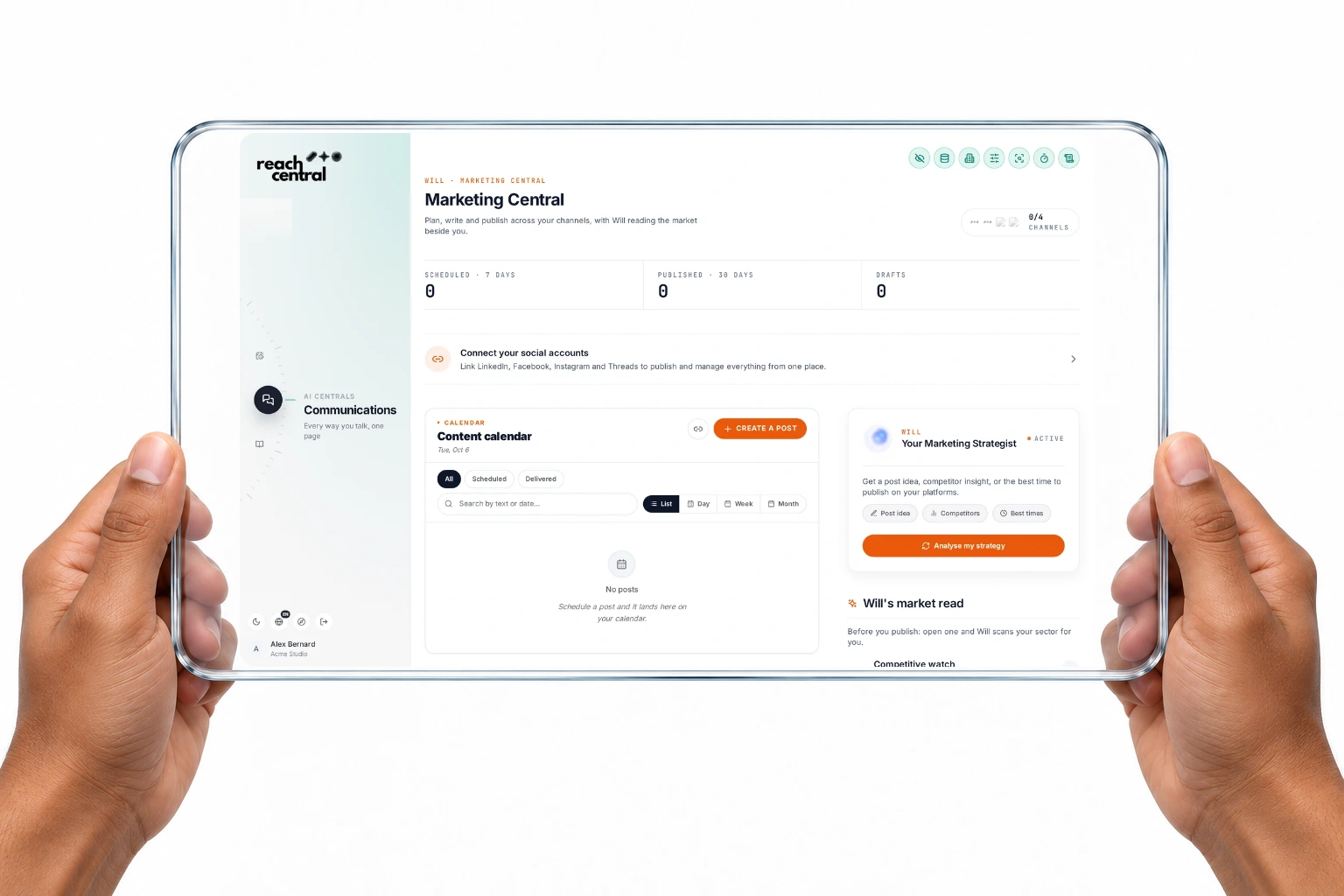
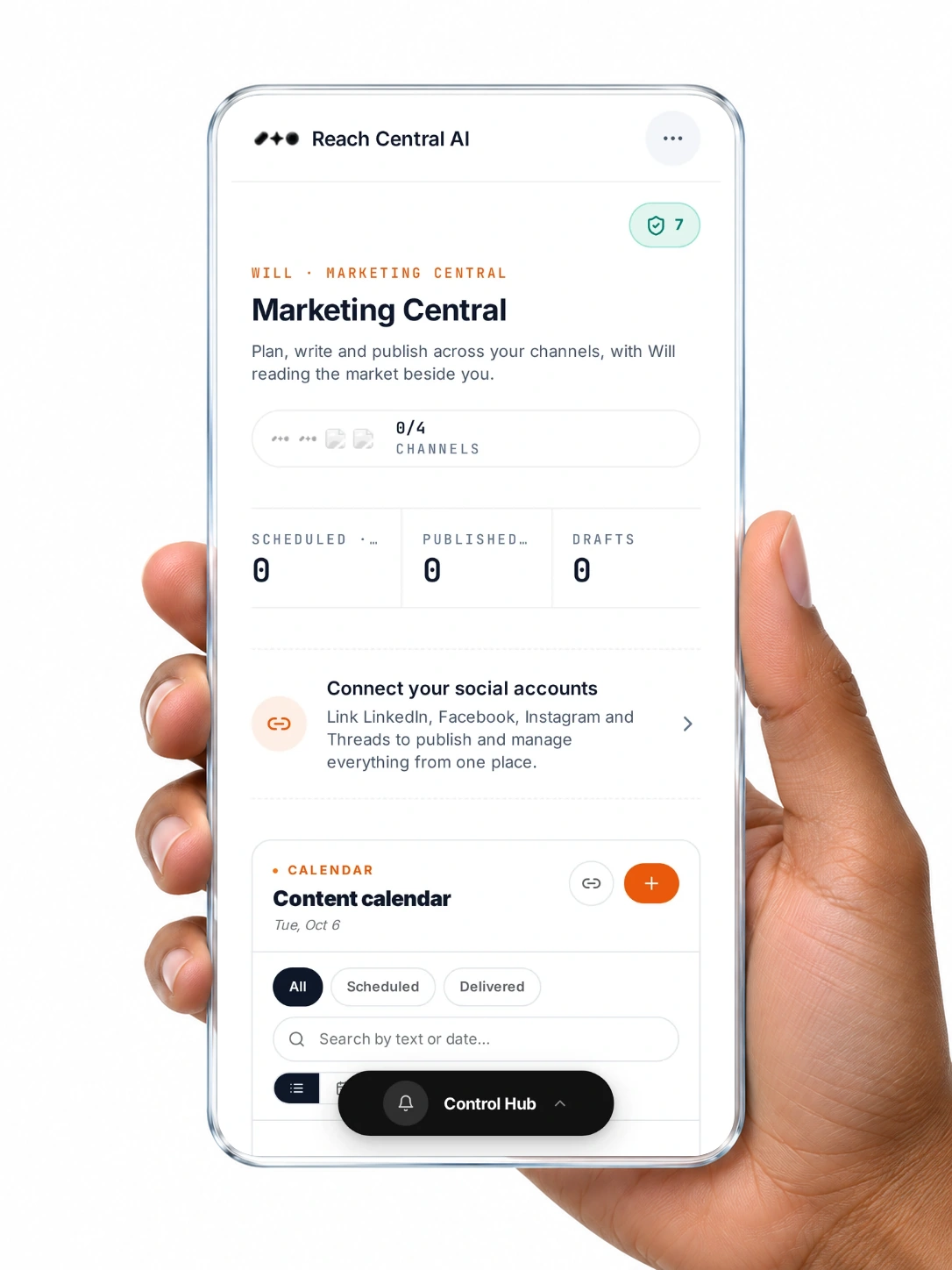
Will writes and publishes, under your switch.
Strategy and advice
Outside the software.
AI departments meet with you; Will writes your executive brief.
Team visibility
Permissions to set by hand.
Members see their own clients; owners and admins see everything.
Control over AI actions
Depends on each add-on.
A switch per capability and a two-level emergency stop.
Client privacy with AI
Depends on each add-on.
Names, phones and emails become tokens before the AI.
Comparison with a CRM used on its own, without add-ons or manual work. Some capabilities depend on your plan.
For your organisation
What your company gets back.
01
Nobody retypes a call
Calls, emails and meetings document themselves on the card.
02
Every lead gets an answer
Your line is answered 24/7 and every call leaves a follow-up task.
03
Anyone can pick up the thread
The whole team reads the same history before calling a client back.
04
Decisions from the whole picture
The next step weighs every channel, not just the last message.
05
A pipeline that stays current
Stages, scores and next actions update as conversations happen.
06
Client data stays protected
Card fields are encrypted, and the AI works with tokens instead of names.
Every feature
Seven tools. One client card.
Each tool reads from and writes to the same card. Explore them one by one.
Phone, name, company, email, notes and the AI summary are encrypted field by field. Before any text reaches the AI, client names, phones, emails, companies and addresses become tokens, restored only in the answer you read.
The client card is one page per client that gathers calls, texts, emails, meetings, documents, tasks, stage, score and an AI summary. Every channel in Reach Central AI files to it automatically, and every action can start from it.
Do I have to log calls and emails myself?⌄
No. Calls are analysed and filed with their outcome, objections and summary. Emails from known contacts sync with their attachments, and Google Meet transcripts update the card's summary.
Does the AI act on its own?⌄
Filing is automatic: calls, follow-up tasks, emails and meeting summaries. Decisions wait for you: the AI sales desk proposes tasks, meetings, email drafts, quotes, invoices or stage changes, and nothing runs until you confirm.
Can I import my existing contacts?⌄
Yes. Bring them from Google Contacts, a spreadsheet, a vCard, a PDF or a photo of a business card. You review each import, and duplicates are detected.
Does it work with HubSpot?⌄
Yes. When HubSpot is connected, callers are looked up by phone and linked to an existing HubSpot contact or created there.
Is client information protected?⌄
Card fields are encrypted at rest, every organization's data is isolated, and client names, phones, emails, companies and addresses are replaced by tokens before text reaches the AI.
See your clients on one card.
A 30-minute demo, in French or English, with the client card at the centre.