Security and confidentiality · Hosted in Canada
Your clients' trust, built into every layer.
Reach Central AI reads your calls, emails and meetings so it can act for you. That is why client details are hidden from the AI, encrypted in the database, sealed inside your organization, and every AI action stays under your control.
Quick answer
How does Reach Central AI protect client data?
Reach Central AI is hosted in the ca-central-1 region in Montreal, with AES-256 encryption at rest and TLS 1.3 in transit. It replaces client names, emails, phones, companies and addresses with tokens before any text reaches the AI, encrypts client fields one by one, isolates every organization, and lets owners switch off any AI capability or stop the AI entirely.
Data residency
Hosted in Montreal. Your data stays in Canada.*
Reach Central AI runs in the ca-central-1 region in Montreal. Your database, files and backups live there, encrypted at rest and in transit.
- ca-central-1 · Montreal
- No data leaving Canada*
- AES-256 at rest
- TLS 1.3 in transit
- Keys rotated by the provider
- Built for Quebec's Law 25
*Except calls answered by the AI receptionist, which are processed by our voice provider outside Canada.
What the AI actually sees
The AI works with tokens. Never with your clients.
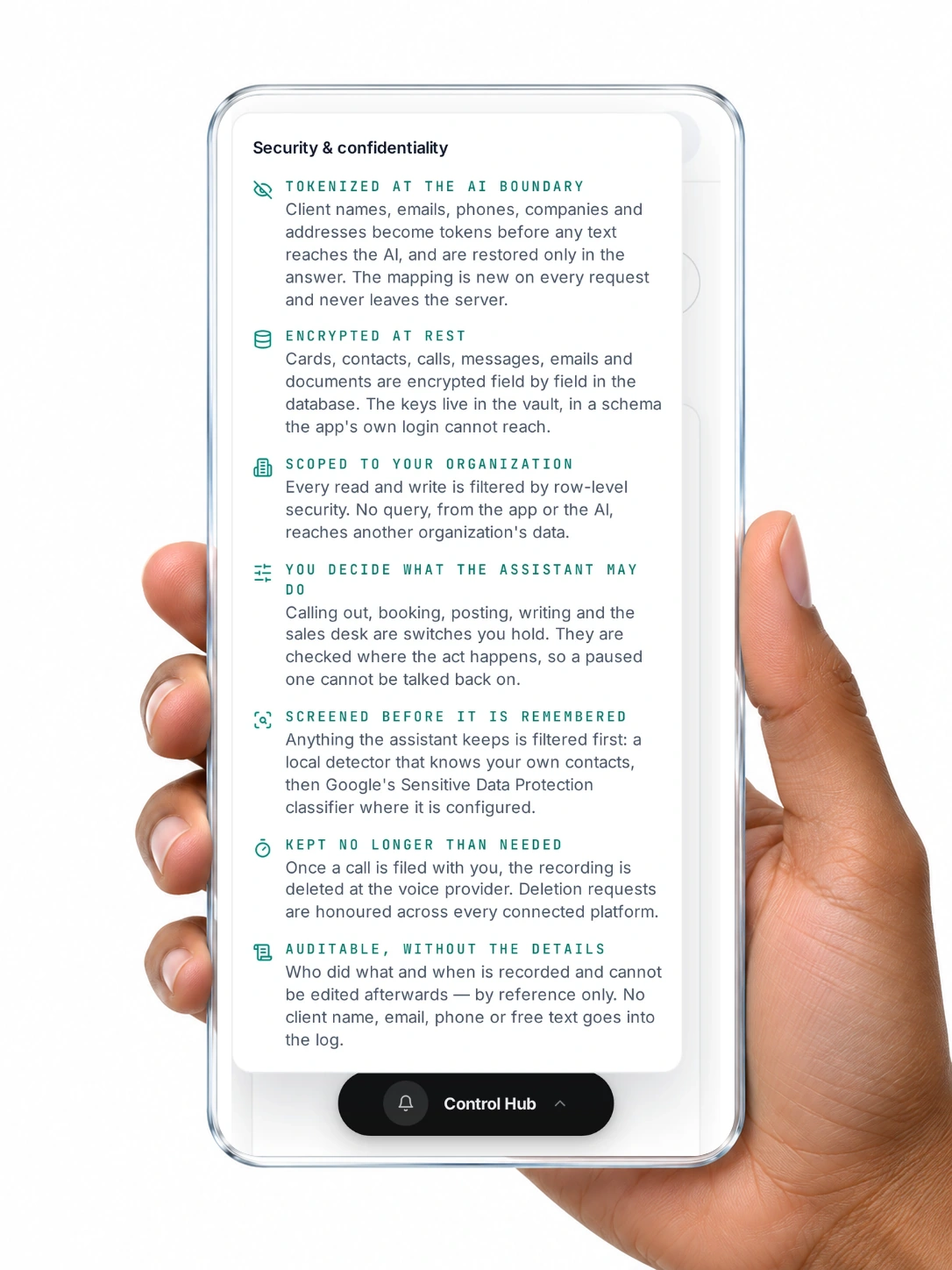
Before a prompt leaves our servers, personal details are swapped for tokens. The AI answers with tokens, and the real values are put back only in the answer you read. The mapping is new on every request and never leaves the server.
[[P1]] from [[C1]] called from [[T1]]. Send the quote to [[E1]] before Thursday.
- Your own company name and products stay visible, so answers stay useful.
- Raw call audio is never sent to the AI. Calls are transcribed first.
- A name spoken in a call that exists nowhere in your data is caught by a name detector, not by an exact match.
Every layer
Four rings around your data.
Before the AI
Pseudonymised at the AI boundary
Names, emails, phones, companies and addresses become tokens in about 25 AI functions, server side, before any request to the model.
Screened before it is remembered
What the assistant keeps is filtered first: a local detector that knows your own contacts, then Google Sensitive Data Protection where configured, including Canadian social insurance, passport and driver's licence numbers, credit cards and IBANs.
Public text is redacted, not tokenized
Anything that can be published, such as a social post, has personal details removed for good.
In the database
Hosted in Montreal
Your database, files and backups are hosted in the ca-central-1 region in Montreal.
Encrypted field by field
Data is encrypted at rest with AES-256, with key rotation managed by the infrastructure provider. On top of that, names, phones, emails, companies, notes, AI summaries, call transcripts, recording links, messages, emails and documents are encrypted field by field, with keys in a vault the app's own login cannot reach.
Searchable without decrypting
Phone numbers are matched through a keyed fingerprint, so finding a caller never exposes the number.
Sealed inside your organization
Row-level security filters every read and write by organization. AI functions take your organization from your login, never from the request.
Private files
Call recordings, MMS media and business card images are in private storage, opened only through short-lived links scoped to your organization.
In your hands
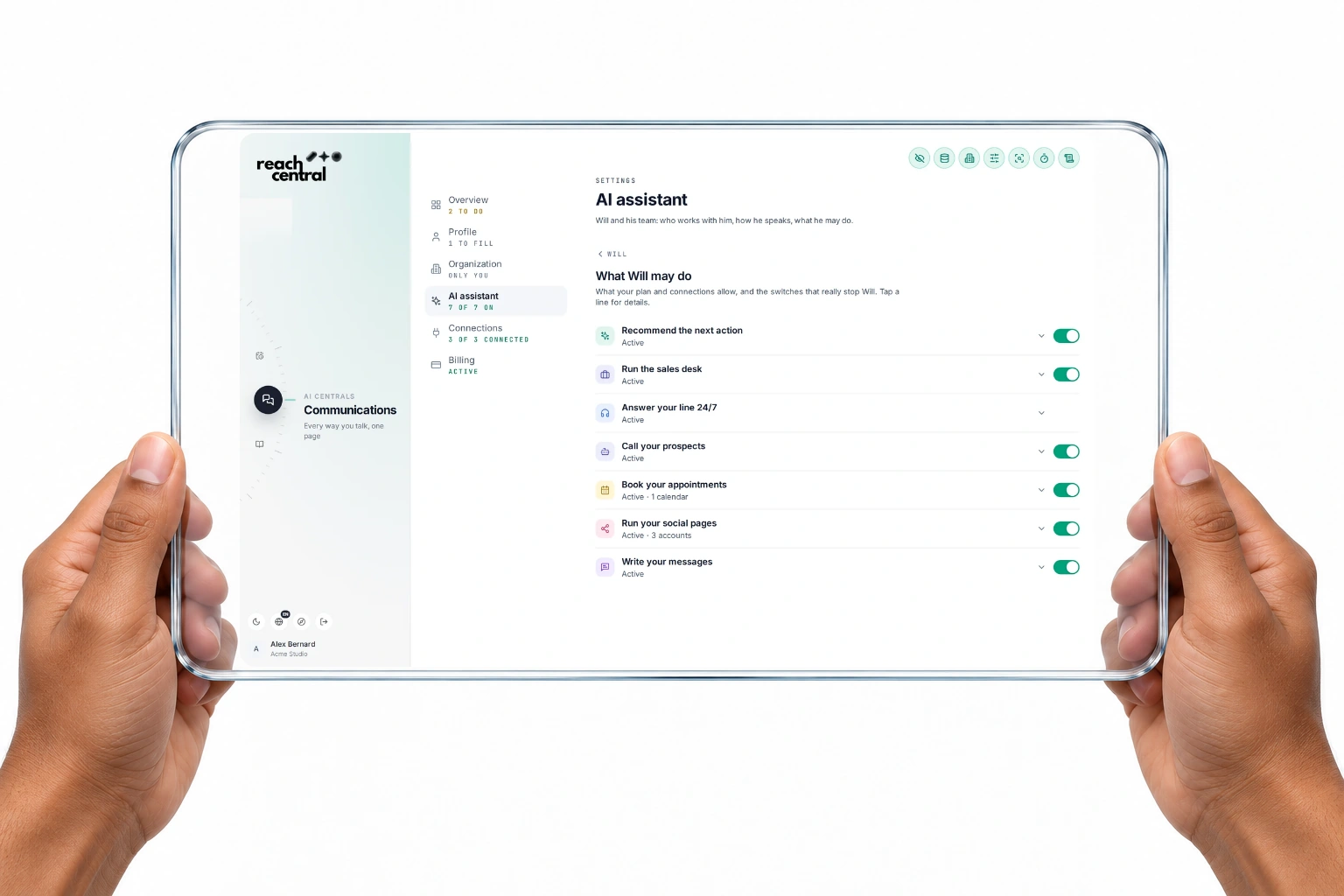
A switch per AI capability
Recommending, booking, calling out, posting, writing and the sales desk can each be paused. The switches are checked on the server where the action happens.
Two-level emergency stop
Pause the AI, or lock down everything that leaves your organization. If the check itself fails, everything is treated as stopped.
Decisions wait for you
Sales desk proposals, duplicate merges and AI rep campaigns run only after you confirm.
An audit log without the details
Every action records whether you, the AI, the system or a webhook did it. Entries hold references only, never a client's name, phone or free text, and cannot be edited.
At the edges
Verified webhooks
Calls, texts, payments, voice and CRM events are accepted only with a valid signature from Twilio, Stripe, ElevenLabs or HubSpot. A missing secret means the request is refused.
Credentials stay on the server
Integration keys and tokens are set by our team on the server and are never readable from the app.
Hardened sign-up and roles
Joining an organization requires an invitation, and nobody can change their own role or organization.
Strict browser protections
Every connection uses TLS 1.3, HTTPS is enforced, no other site can frame the app, and a strict content security policy applies.
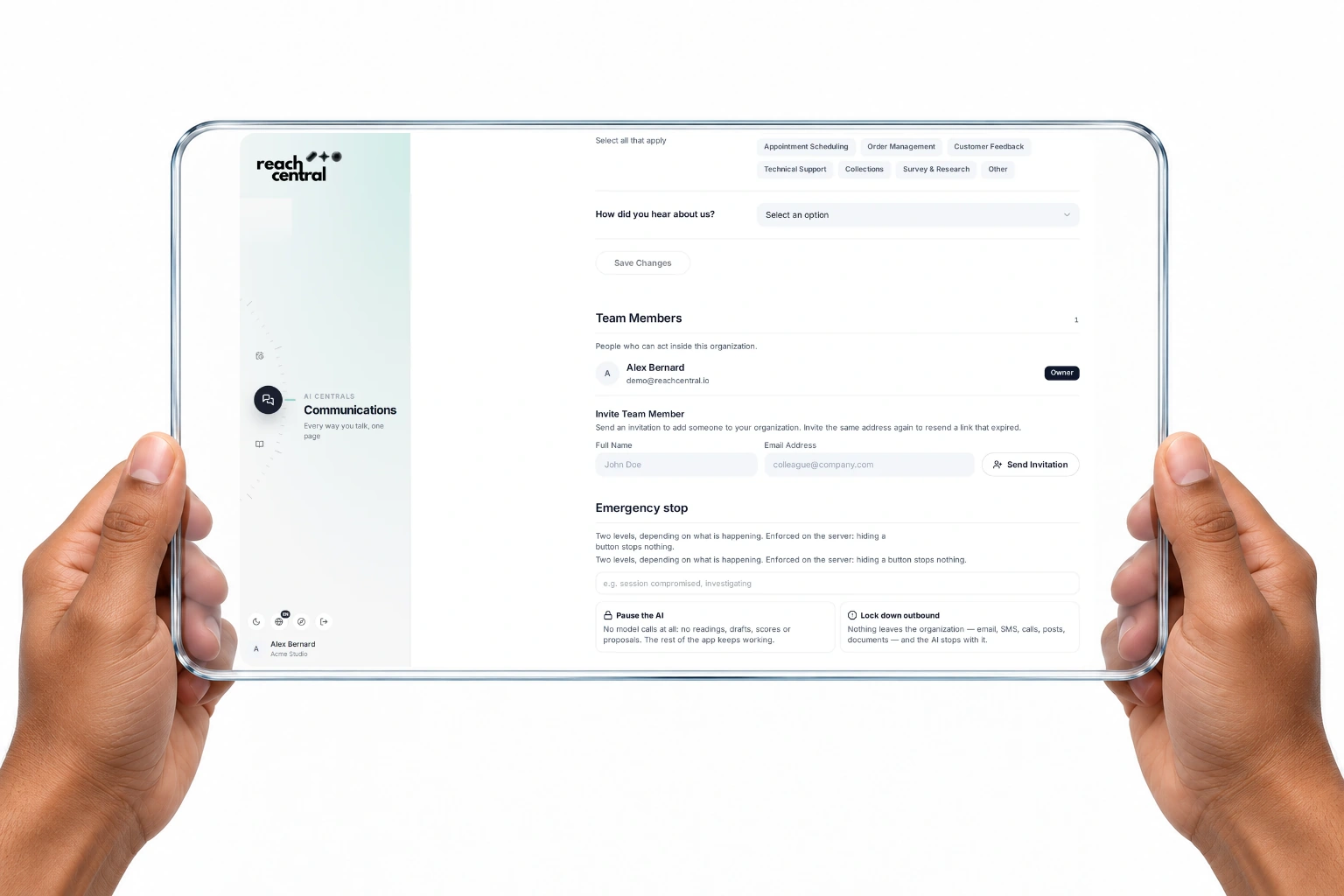
Emergency stop
One switch stops everything.
Owners and admins hold two levels of stop, enforced on the server. A stop can also be sealed so that only our team can lift it, after you ask.
Pause the AI
No model calls at all: no reading, drafting, scoring or proposing. The rest of the app keeps working.
Lock down outbound
No email, text, call, post or document leaves your organization, and the AI stops with it.
Who sees what
Each person sees what is theirs.
Owners and admins see the whole organization. A member sees their own client cards, deals, documents, calls, tasks, notes, plans and briefings, and only themselves in the team.
- Owner
Everything in the organization, plus the team, AI switches, emergency stop and hiring AI experts.
- Admin
Everything in the organization, invitations, AI switches and the emergency stop.
- Member
Their own clients and work. Shared playbooks and texts stay shared.
Your data, your rights
Ask, and it is deleted.
Deletion requests
Write to info@reachcentral.io. We answer within 30 days, and backups are purged within 90 days.
Connected platforms
Deletion requests from Facebook, Threads and HubSpot are verified and applied automatically.
Consent on every card
When a client is added, the card records the basis for emailing them, from express consent to a published address.
Incident notice within 72 hours
If a security incident affects personal information, affected clients are notified within 72 hours.
A reply within 4 business hours
Privacy and security questions get an answer within 4 business hours.
Transparency
Who helps us run the service.
These providers process data so the features you use can work. Which ones are involved depends on the features you turn on.
- Supabase
- Database, authentication and storage
- Vercel
- Website and app hosting
- Google Cloud
- AI (Gemini), sensitive-data screening, Calendar, Gmail and Drive
- Twilio
- Phone calls and texts
- ElevenLabs
- AI voice and transcription
- Stripe
- Billing
- Meta and LinkedIn
- Social publishing and messages
- HubSpot
- CRM sync, when connected
- Resova
- Bookings, when connected
Questions
About security.
Does the AI see my clients' names and numbers?
No. Before a request reaches the AI, client names, emails, phone numbers, companies and addresses are replaced by tokens. The real values are restored only in the answer you read.
Is my data encrypted?
Yes. Data is encrypted at rest with AES-256 and in transit with TLS 1.3, with key rotation managed by the infrastructure provider. Client fields are also encrypted one by one, with keys kept in a vault the app cannot reach.
Can other organizations see my data?
No. Row-level security filters every read and write by organization, and AI functions take your organization from your login, never from the request.
Can I stop the AI at any time?
Yes. Each AI capability has its own switch, and owners and admins can pause the AI entirely or lock down everything leaving the organization.
Where is my data processed?
In the ca-central-1 region in Montreal. Your database, files and backups stay in Canada. The only exception: calls answered by the AI receptionist are processed by our voice provider outside Canada.
How do I request deletion?
Write to info@reachcentral.io. We answer within 30 days and backups are purged within 90 days. Deletion requests from Facebook, Threads and HubSpot are handled automatically.
Is Reach Central AI aligned with Law 25?
Yes. Reach Central AI is built around Quebec's Law 25: data hosted in Canada, consent recorded on every client card, deletion requests answered within 30 days and a privacy contact who replies within 4 business hours.
What happens in a security incident?
Affected clients are notified within 72 hours. Owners and admins can also pause the AI or lock down everything leaving the organization at once.
Talk security with our team.
A 30-minute demo to walk through every layer, in French or English.