Client Cards
One card per client. The whole relationship.
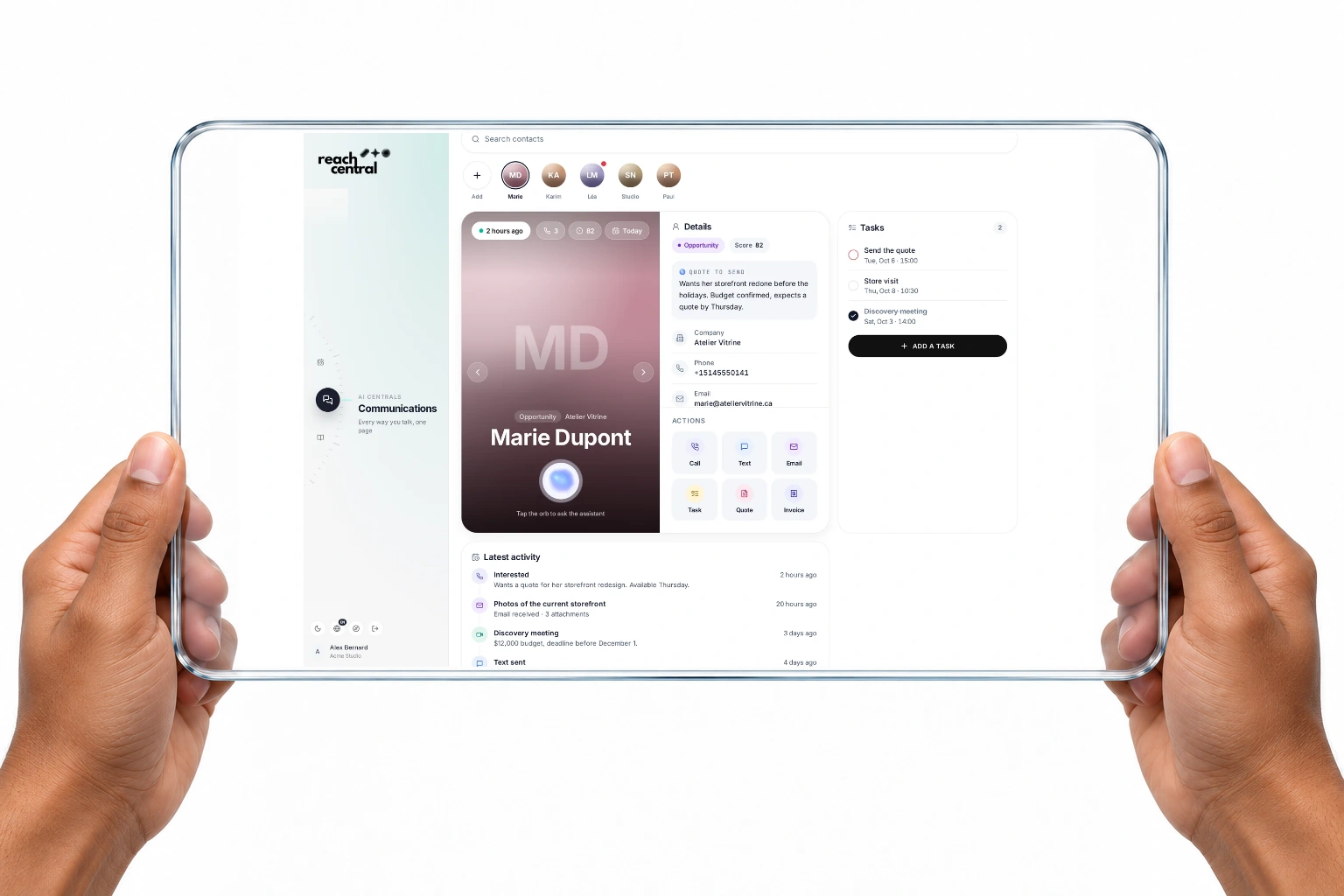
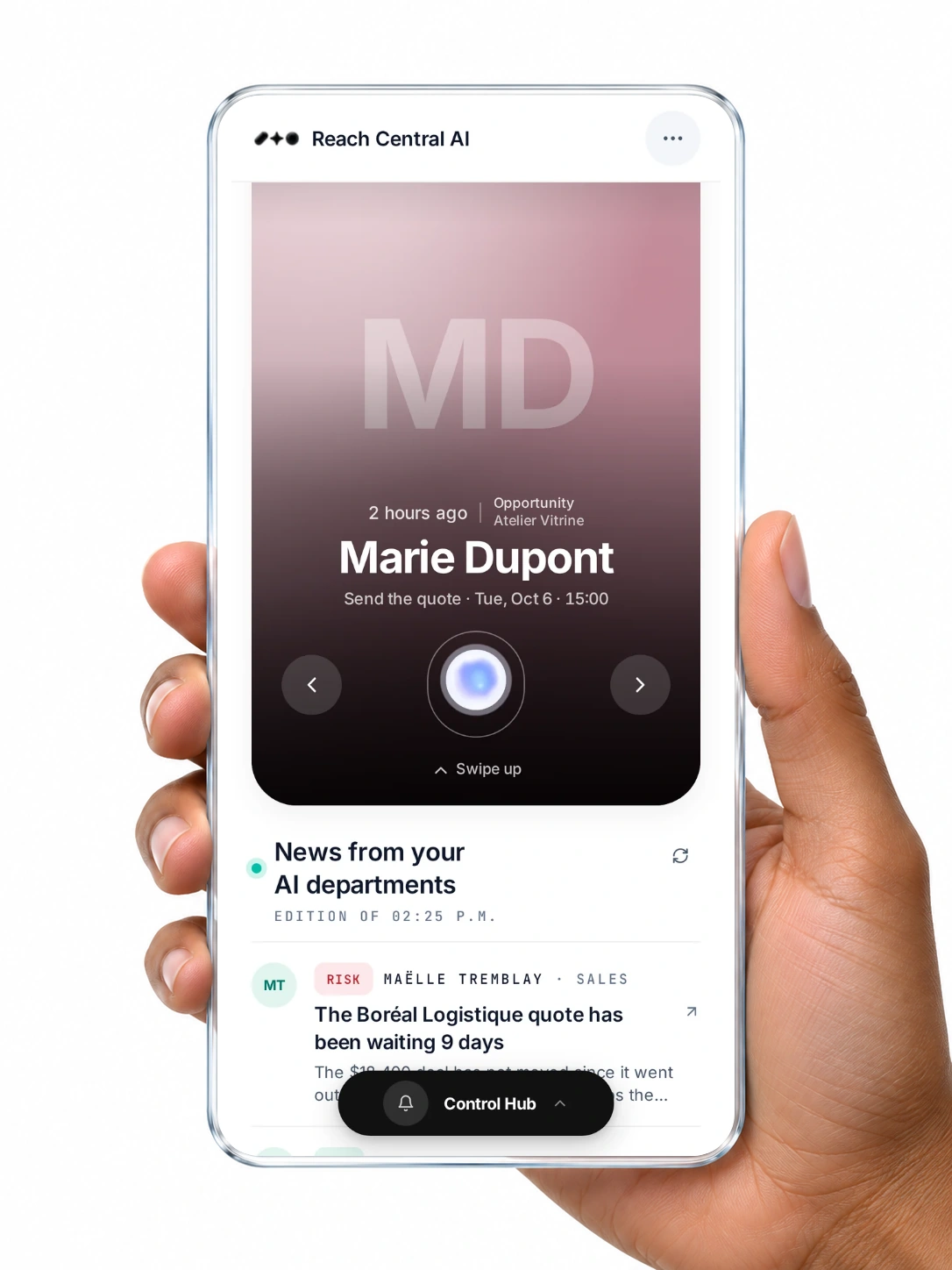
Calls, texts, emails, meetings, documents and tasks gather on one card that writes itself. The AI keeps a short summary current, and every action starts from the card.
Quick answer
What is a client card in Reach Central AI?
A client card is one page per client that gathers calls, texts, emails, meetings, documents and tasks, with the stage, score, owner and an AI summary of what the assistant knows. Every channel files to it automatically, and calls, texts, emails, tasks, quotes and invoices start from it.
How it works
Cards that fill themselves.
A contact arrives
From a call, an email signature, a business card photo, a spreadsheet or Google Contacts.
The card is created
Duplicates are caught, and existing details are never overwritten.
Activity flows in
Calls, texts, emails, meetings and documents join the timeline.
The AI keeps it current
A short summary of what the assistant knows, updated as things happen.
Screens on this page are real captures of the Reach Central AI demo workspace.
What it does
It remembers. You act.
Each capability says who acts: the AI on its own, or you with one tap.
- Automatic
One timeline
Conversations, meetings, documents, tasks and projects, filterable by contact.
- You choose
One-tap actions
Call, text, email, task, quote or invoice from the card.
- Automatic
Your digital QR card
People swap details with your card and land as new client cards.
- You confirm
Merge duplicates
Duplicate cards are flagged and merged only after you confirm.
On the client card
Ask about this client.
Tap the orb on any card and talk to the assistant about this client only. It knows the card's emails, meetings, calls and documents.
- The AI sales desk proposes up to three next actions
- Nothing runs until you confirm
- Client names become tokens before reaching the AI
For your organisation
The full picture, for everyone.
Anyone can pick up the thread
The whole team reads the same history.
No more scattered notes
Every channel files to one place.
Faster next steps
Actions start from the card you are already reading.
Questions
About client cards.
How do contacts become client cards?
Callers get cards automatically, new email senders become cards from their signatures, and you can import business card photos, vCards, spreadsheets, PDFs or Google Contacts after reviewing them. Swaps from your digital QR card create cards too.
What does the AI summary contain?
What the assistant knows about the client, kept current from calls, emails, meeting transcripts and documents.
Is the card protected?
Phone, name, company, email, notes and the AI summary are encrypted field by field, and client details become tokens before any text reaches the AI.
Every client, on one card.
A 30-minute demo, in French or English, on real screens.